Best Click Fraud Software in 2026: 10 Tools Compared
Prices, trials and platform coverage for ten tools, read from each vendor's own website. We make one of them, and we say which.
✓ Free plan with no card · Paid plans from $39/month · Monthly billing
Last updated · Reviewed by the Didva team
Click fraud software watches the clicks on your paid ads, flags the ones that come from bots, repeat clickers or rigged devices, and stops those sources from seeing your ads again, usually by adding their IP addresses to your ad account's exclusion list. Which one suits you depends mostly on where your budget runs and how you want to pay. This page compares ten tools on both, plus trial terms and contracts.
For a small or mid-size Google Ads account, start with a tool that publishes its price and bills monthly: Didva (free plan, then $39), Fraud Blocker ($79) or ClickCease ($99). If you need Google, Microsoft and Meta blocked inside the ad accounts, ClickGUARD covers all three from its Standard plan. If your spend is spread over many channels, or includes app installs, Lunio, TrafficGuard and CHEQ are built for that, and all three price by quote at that level.
Ten click fraud tools compared
Prices and terms from each vendor's own website, checked 30 September 2026. Didva is our product.
| Tool | Price from | Pricing model | Free plan | Free trial | Contract | Google Ads | Microsoft Ads | Meta | Best for |
|---|---|---|---|---|---|---|---|---|---|
| Didva Our product | $39/mo | Flat tiers by clicks | Yes, 3,000 clicks/mo, no card | 14 days of Growth, no card | Monthly, cancel any time | Automatic IP exclusions (not Performance Max) | Detects and scores; paste-ready exclusion list (paid plans) | Detects tagged ad clicks; Cloudflare blocking on Growth plan | Small and mid-size Google Ads accounts that want a published price |
| Clixtell | $15/mo detection, $50/mo blocking | Tiers by clicks, per domain | No | 14 days | No commitment, cancel any time | Automatic IP exclusions | Supported | Not publicly available | A cheap start, with call tracking included |
| PPC Shield | $49/mo ($39 billed yearly) | Tiers by clicks | No | 14 days | Monthly, cancel any time | Automatic IP blocking | No (Google Ads only) | No | Google-only advertisers with many accounts |
| TrafficGuard | $49/mo promo (up to $30k spend) | Flat under a spend cap, custom above | No | 30 days, card required, detection only | Monthly, cancel any time (Shield) | Search on Shield; PMax on Scale | Not publicly available | Custom plans, website-conversion campaigns | Multi-channel spend including mobile app installs |
| Fraud Blocker | $79/mo ($63 billed yearly) | Tiers by ad clicks | No | 7 days, card required | Month to month | Automatic IP exclusions | Manual IP export only | Automatic | A low published price for Google and Meta |
| ClickGUARD | $89/mo ($74 billed yearly) | Tiers by ad spend (entry plan: one platform) | No | 7 days, card pre-authorized | Monthly, quarterly or yearly | Automatic, incl. Performance Max | IP blocking | Supported | Hands-on control of exclusion rules |
| ClickCease | $99/mo ($84 billed yearly) | Tiers by website traffic | No | 7 days, card required | Monthly or annual, cancel before renewal | Automatic IP exclusions | Listed (its pages differ on blocking) | Audience exclusions | Small sites wanting ad and bot protection in one bundle |
| Spider AF | $150/mo ($120 billed yearly) | Flat tiers by clicks, no spend fees | No | 14 days, detection only, no card | Monthly or annual | Automatic (IPs, placements, audiences) | Supported | Exclusion audiences | Placement control without spend-based fees |
| Lunio | Not published (quote) | Share of ad spend | No | 14-day audit, booked via sales | 12 months, auto-renews (default terms) | Automatic IP and audience exclusions | Supported | Supported | Advertisers spread across many channels (TikTok, LinkedIn, X, Reddit) |
| CHEQ | Not published (demo) | Quote-based | No | Not publicly available | Not publicly available | Automatic | Supported | Supported | Enterprises buying security across the whole funnel |
Didva Our product
Our product. The free plan never expires (3,000 clicks a month, no card), which makes it the cheapest way to see how much invalid traffic you have. Paid plans add automatic IP exclusions in Google Ads and blocking through Cloudflare. Microsoft Ads gets scoring and, on paid plans, a paste-ready exclusion list, but no automatic exclusions. Performance Max isn't covered inside Google Ads. Best for Google-first accounts that want a published price.
From $39/mo · Flat tiers by clicks · Trial: 14 days of Growth, no card
Clixtell
The cheapest entry ticket at $15 a month, but that plan only detects. Blocking starts at $50. Call tracking and session recording come included, handy if phone calls are how your leads arrive.
From $15/mo detection, $50/mo blocking · Tiers by clicks, per domain · Trial: 14 days · Clixtell pricing , checked 30 September 2026
PPC Shield
Google Ads only, with unlimited accounts on every plan, including manager accounts. Good value at high click volumes.
From $49/mo ($39 billed yearly) · Tiers by clicks · Trial: 14 days · PPC Shield pricing , checked 30 September 2026
TrafficGuard
Covers Google Search, Performance Max, Meta, affiliate traffic and mobile app installs. The $49 plan is Google Search only, up to $30,000 a month in spend; the rest is quoted.
From $49/mo promo (up to $30k spend) · Flat under a spend cap, custom above · Trial: 30 days, card required, detection only · TrafficGuard pricing , checked 30 September 2026
Fraud Blocker
The lowest published price for automatic blocking on both Google and Meta: $79 a month, or $63 billed yearly, for 5,000 ad clicks. Microsoft is export-only, and protection pauses if you go past your click allowance.
From $79/mo ($63 billed yearly) · Tiers by ad clicks · Trial: 7 days, card required · Fraud Blocker pricing , checked 30 September 2026
ClickGUARD
The most control over exclusion rules. Prices follow ad spend, clicks are unlimited, and every plan includes onboarding with a person. The entry tier protects one platform only.
From $89/mo ($74 billed yearly) · Tiers by ad spend (entry plan: one platform) · Trial: 7 days, card pre-authorized · ClickGUARD pricing , checked 30 September 2026
ClickCease
CHEQ's self-serve product. It blocks on Google and Meta, lists Microsoft support, and bundles WordPress bot blocking and HubSpot lead checks. The trial is 7 days with a card, and the plan limit counts all site traffic, not only ad clicks.
From $99/mo ($84 billed yearly) · Tiers by website traffic · Trial: 7 days, card required · ClickCease pricing , checked 30 September 2026
Spider AF
Flat prices with no spend-based fees, and placement blocking for apps, YouTube and Performance Max inventory. The $150 entry plan is aimed at mid-size accounts.
From $150/mo ($120 billed yearly) · Flat tiers by clicks, no spend fees · Trial: 14 days, detection only, no card · Spider AF pricing , checked 30 September 2026
Lunio
The widest channel list, including TikTok, LinkedIn, X and Reddit, with exclusions synced across them. Priced as a share of ad spend on annual terms, by quote.
From Not published (quote) · Share of ad spend · Trial: 14-day audit, booked via sales · Lunio pricing , checked 30 September 2026
CHEQ
An enterprise security platform in which click fraud is one module among form protection, analytics and bot management. No public price. For most advertisers who only need click fraud, CHEQ's own answer is ClickCease.
From Not published (demo) · Quote-based · Trial: Not publicly available · CHEQ pricing , checked 30 September 2026
- Watchtower Free
3,000 clicks/month · Detection, manual blocking, 7 days of data
- Starter $39 /mo
20,000 clicks/month · Automatic blocking, exports, daily reports
- Growth $89 /mo
100,000 clicks/month · Everything in Starter plus appeal packs
Monthly billing, cancel any time. New accounts get 14 days of Growth free, no card. Full pricing
Try Didva freeHow we chose and ordered these tools
We started from the tools that show up when advertisers search for click fraud software and its alternatives, then kept the ones that sell protection for search and social ads. Programmatic verification companies such as DoubleVerify and Integral Ad Science are left out; they serve publishers and large media buyers, not someone running their own Google Ads account. Our guide to ad fraud detection software by fraud type covers them.
Every price, trial and platform claim in the table comes from the vendor's own pricing or product pages, read on 30 September 2026. Where a vendor doesn't say, the table says "Not publicly available". We didn't use review-site scores. The list runs by entry price, cheapest first, with the quote-only tools at the end. That puts Didva first, because its free plan costs nothing. Every "top 10" we read put its own author first, and this one does too, so judge it on the facts rather than the order. For deeper one-on-one comparisons, see our pages on Lunio alternatives, CHEQ and TrafficGuard.
What to look for in click fraud software
Where it blocks. Detection is the easy part. What matters is where the block lands: an IP exclusion inside Google Ads, an exclusion audience inside Meta, or a firewall rule on your own website. A tool can see Microsoft clicks without being able to block them in Microsoft Ads. Check each platform separately.
How it's priced. There are four models on this page: flat tiers by clicks, tiers by website traffic, tiers by ad spend, and a share of ad spend. Spend-based pricing gets more expensive as you scale even if fraud stays flat.
Evidence you can use. You should be able to see why a click was flagged and export it. Google investigates invalid activity from the last 60 days, and a list of IP addresses, times and campaigns gives you something specific to point to when you ask.
Control over false positives. Aggressive blocking can exclude real customers, such as an office that shares one IP address. Look for adjustable thresholds and a way to review borderline visitors before they're blocked.
Didva compared with the protection built into the ad platforms
| Google Ads | Microsoft Advertising | Didva | |
|---|---|---|---|
| Filters bot clicks before you pay | Yes | Yes | No, the platform does that |
| Credits clicks found invalid later | Yes, on your invoice | Yes, may take up to a month | No |
| Shows you which visitors were invalid | Totals only | Totals only ("low-quality clicks") | Each visit, with the reason |
| Blocks a repeat clicker it didn't catch | Only if you add the IP yourself | Only if you add the IP yourself | Adds it to your Google Ads campaigns (paid plans, not Performance Max) |
| IP exclusion limit | 500 per campaign, plus an account list | 100 per campaign | Google's limit applies |
The platforms' own filters are free and always on, and they catch a lot; invalid click protection for Google Ads and our Microsoft Ads click fraud guide explain each one. What they don't give you is visitor-level detail, or a way to act on what they missed.
Is click fraud software worth it for a small account?
It depends on your cost per click and how much of your traffic turns out to be invalid. If your clicks cost $1 and your invalid rate is a couple of percent, a $79 tool may cost more than it saves. On a $20 legal or insurance keyword, one competitor clicking every morning adds up to hundreds of dollars a month. Measure first. Our click fraud calculator turns your own numbers into a monthly figure, and Didva's free plan shows you how many of your clicks it flags before you spend anything.
See Didva in action
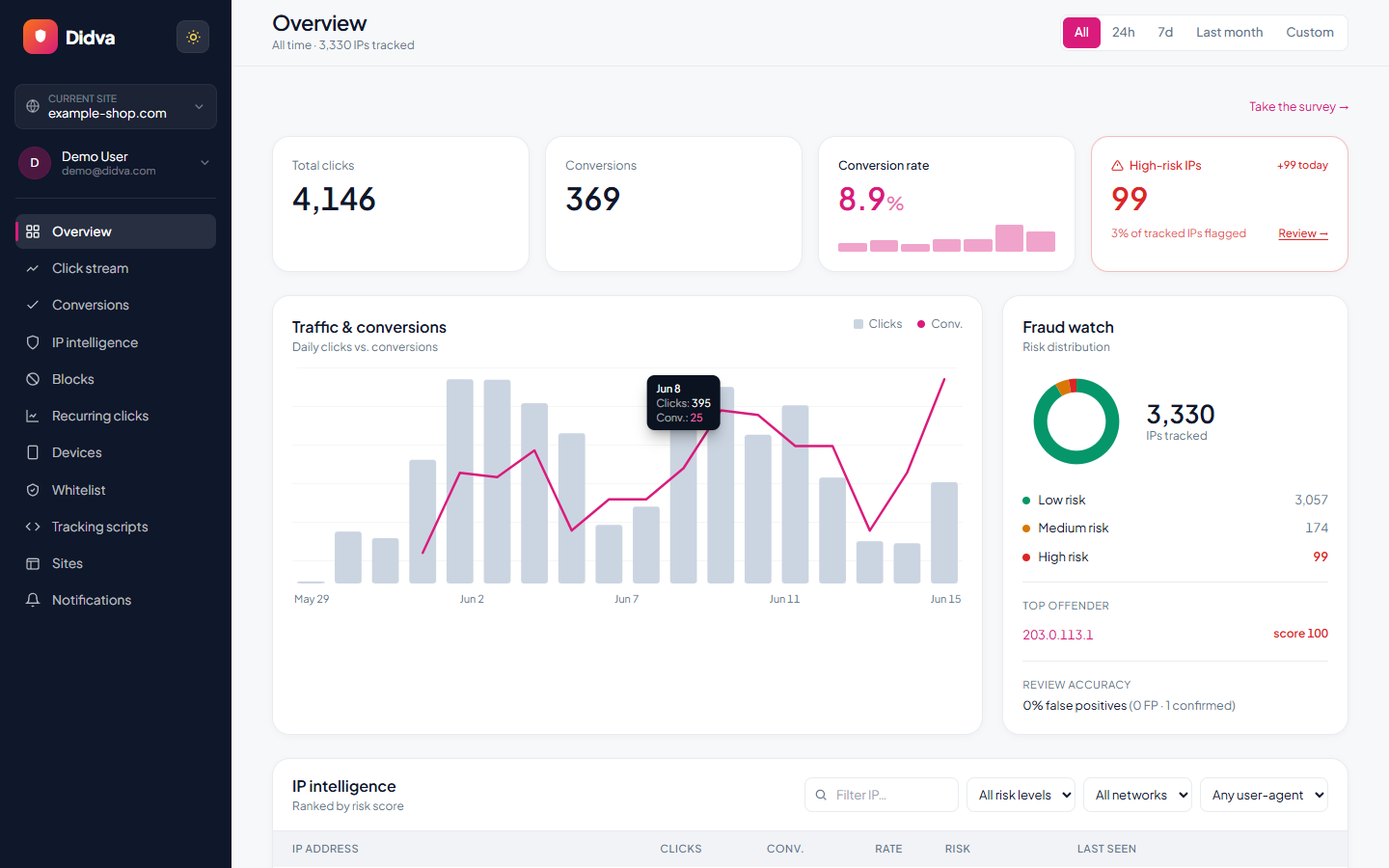
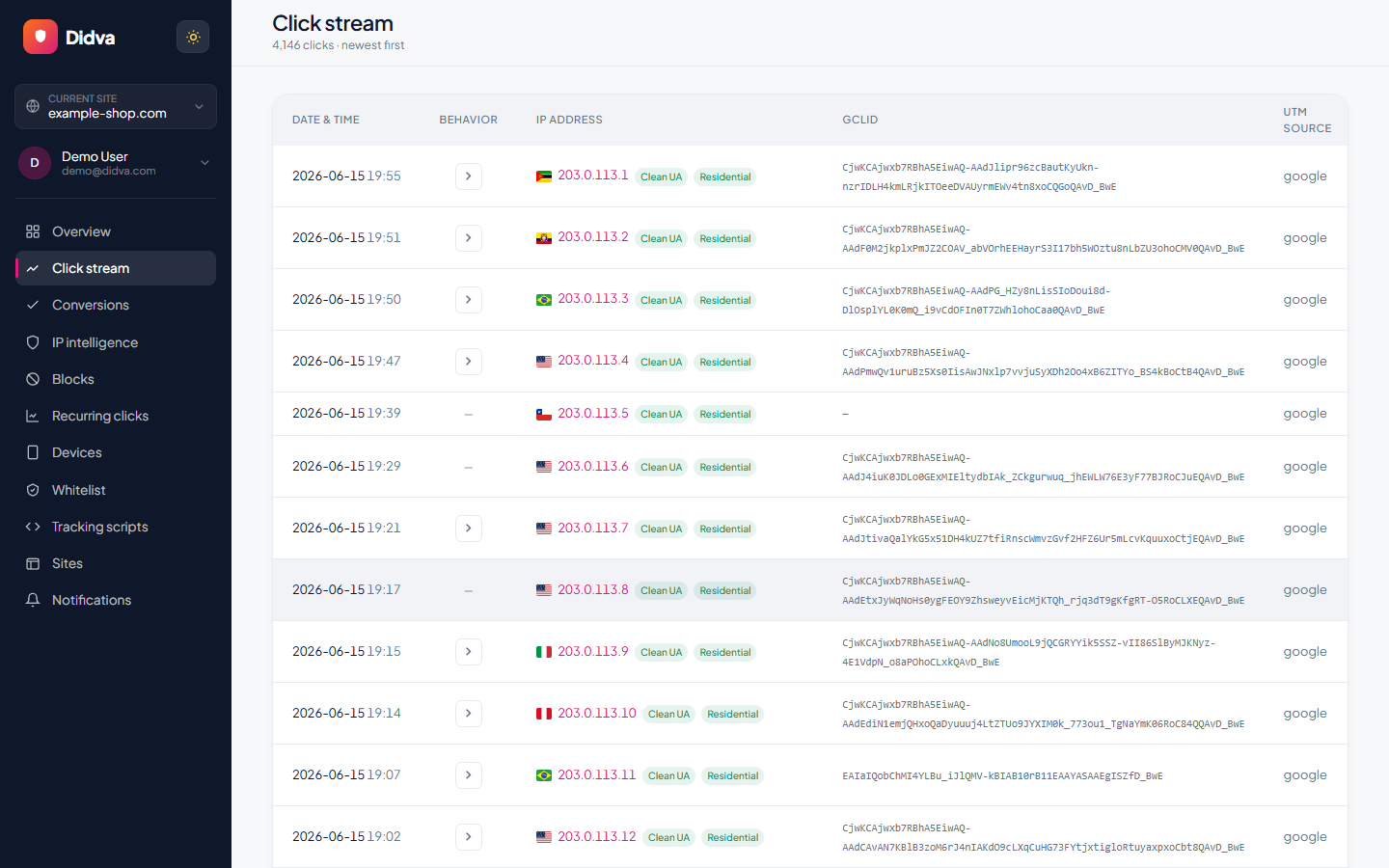
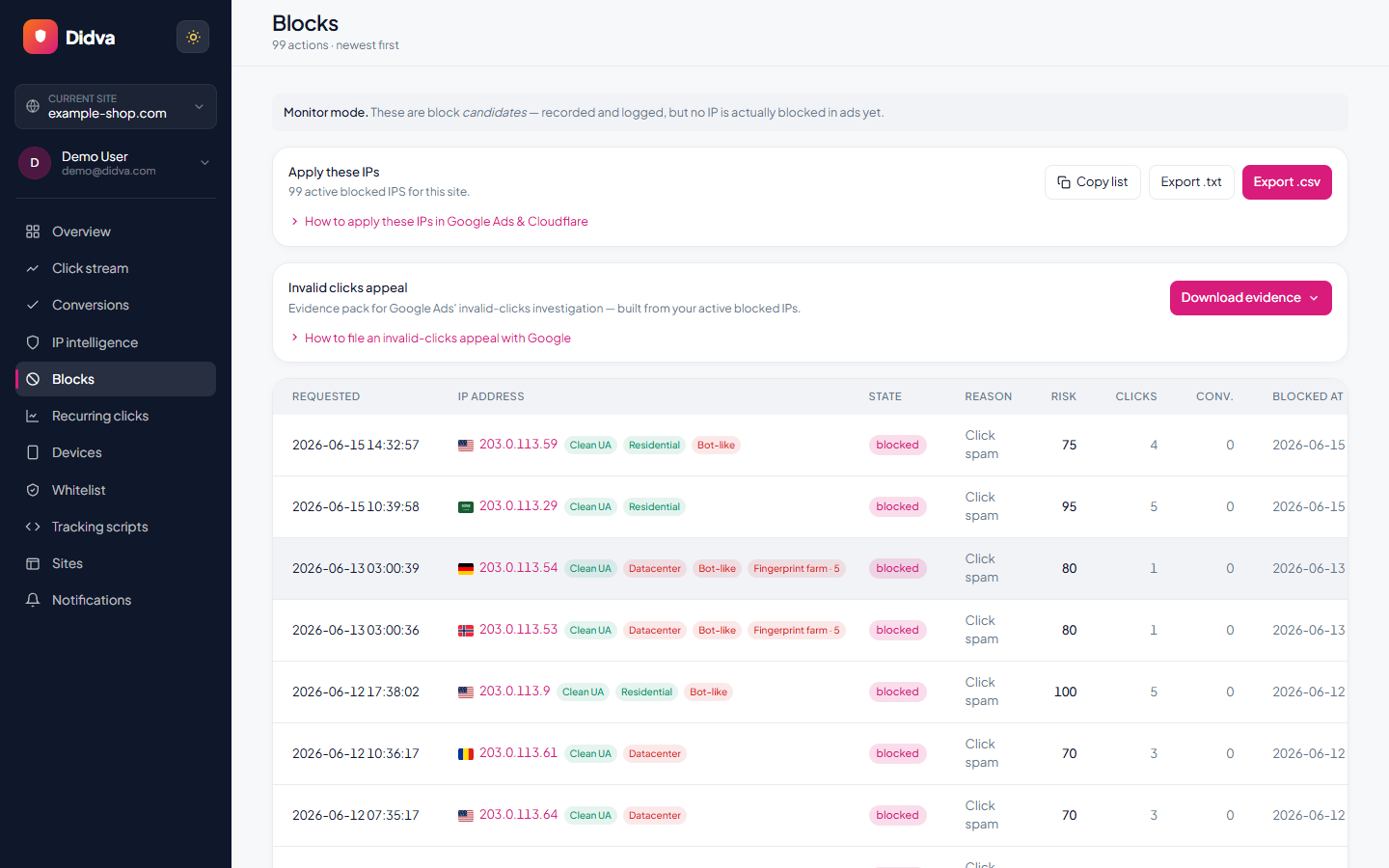
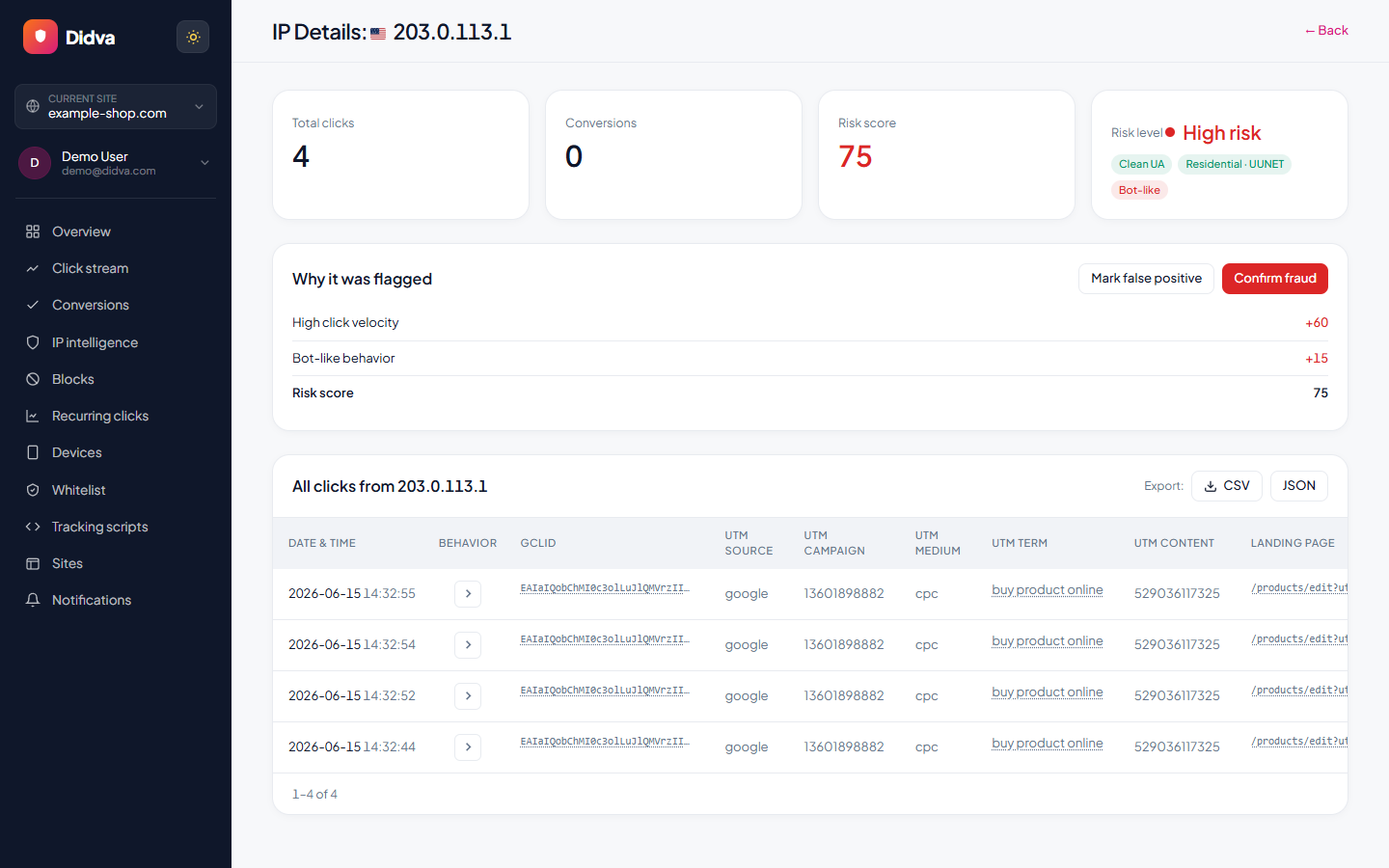
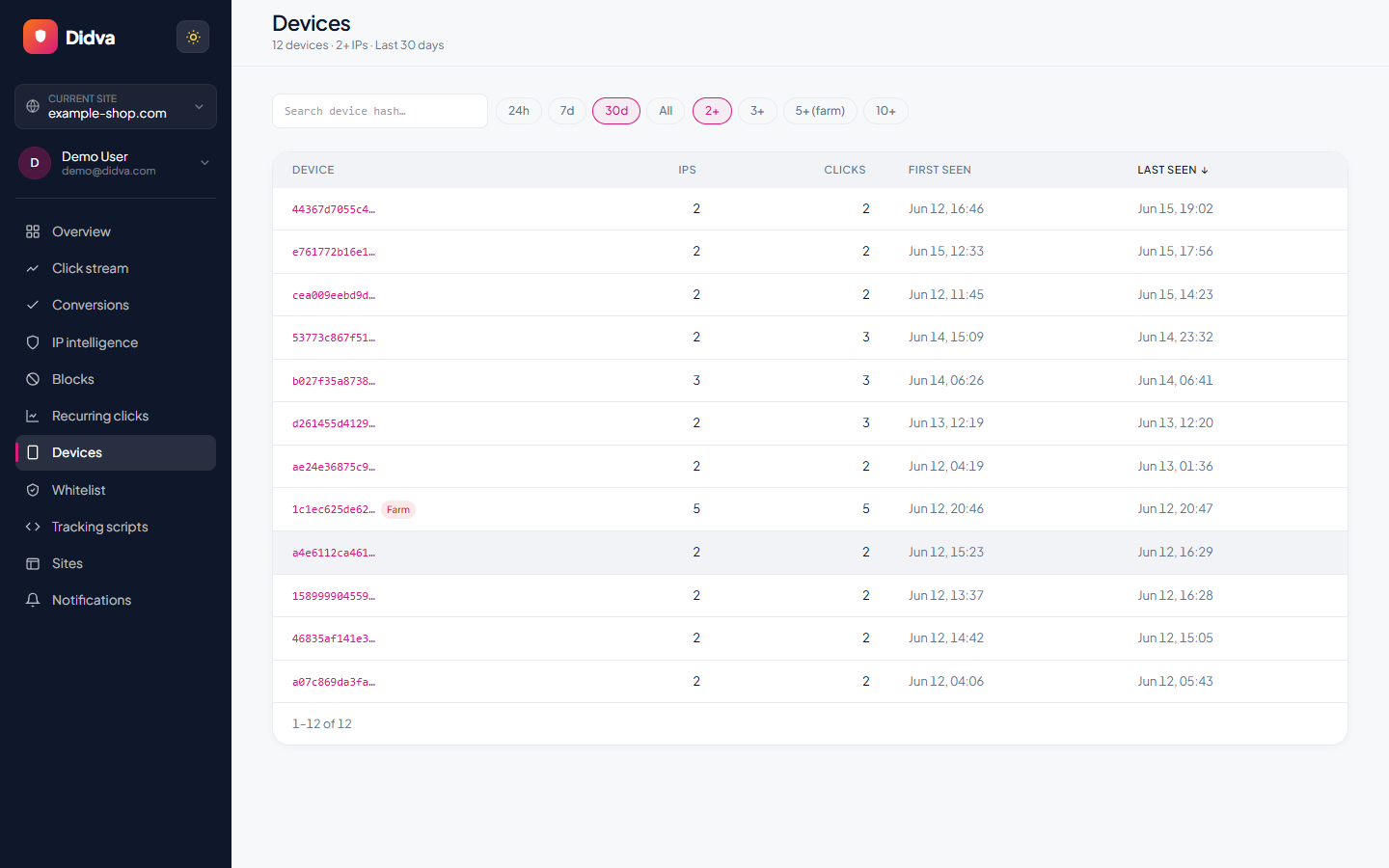
Real-time monitoring, risk scoring and one-click evidence, all in one dashboard.
What advertisers say
Real feedback from teams protecting their paid traffic with Didva.
Caught a click-farm pattern our previous tool missed and cut wasted spend within the first month.
Setup was a single snippet. The evidence export made our Google Ads refund request painless.
Clear per-IP reasons and a review queue so we are not blocking real customers. Exactly what we needed.
Datacenter and repeat-click detection paid for itself fast. Reporting is clear enough to share with clients.
We manage campaigns across several clients and the dashboard quickly highlighted traffic patterns we would have otherwise missed.
Simple setup, useful alerts, and enough detail to investigate suspicious visitors without involving developers.
The product delivered value quickly. I would like a few more filtering options, but the core detection features work well.
The manual review queue helped us avoid blocking legitimate visitors while still dealing with suspicious traffic.
The IP-level evidence makes client conversations much easier. Instead of assumptions, we can show actual data.
One of the cleaner interfaces we have used in the ad fraud space. Reports are easy to understand.
Within the first week we found a source of repeated clicks that had been consuming budget for months.
Useful notifications, clear reasoning, and very little noise. Most flagged visits deserved attention.
We mainly wanted better visibility into traffic quality. The platform delivered exactly that.
I like that every flag includes supporting details. It builds confidence in the decisions being made.
We tested several tools and this was the easiest one to explain to both clients and team members.
Good balance between automation and transparency. Nothing feels hidden behind a black box.
The repeat-click reports helped us identify unusual traffic spikes during a competitor campaign launch.
Client reporting became much easier once we started including the exported traffic quality reports.
Strong product overall. A few advanced reporting features would be nice, but detection accuracy has been solid.
The value was obvious after the first couple of weeks. We now review suspicious traffic as part of our regular workflow.
Ready to see which clicks are real? Start protecting your paid traffic in minutes.
Start Protecting Your AdsFrequently asked questions
Do I need click fraud software if Google already filters invalid clicks?
Google does filter invalid clicks and doesn't charge for the ones it catches. It can't know which clicks were worthless to your business, though, and it gives you no way to stop a repeat clicker it didn't flag. Click fraud software adds your own exclusions on top. If your invalid click rate is low and your cost per click is small, you may not need a paid tool; the free plan on Didva is one way to find out.
What is the best click fraud software for small businesses?
One that publishes its price, bills monthly and covers the platform where you spend. For a Google Ads account under a few thousand dollars a month, Didva's free plan or $39 plan, Fraud Blocker at $79 and ClickCease at $99 are the usual shortlist.
How much does click fraud protection cost?
Among tools with published prices, entry plans range from $15 a month (Clixtell, detection only) to $150 (Spider AF). Didva has a free plan and paid plans from $39. Lunio and CHEQ quote privately, and TrafficGuard quotes above $30,000 a month in spend.
What is the cheapest click fraud protection?
Didva's free plan costs nothing for up to 3,000 clicks a month, though it detects and lets you block by hand rather than blocking automatically. For automatic blocking, the cheapest published plans are Didva at $39, PPC Shield and TrafficGuard at $49, and Clixtell at $50.
Can I run two click fraud tools at the same time?
Yes, and it's the fairest way to compare them. Let both watch the same traffic for a few weeks. Turn on automatic blocking in only one, or they will fill your exclusion list twice as fast. Google allows 500 excluded IP addresses per campaign.
Does click fraud software work on Meta ads?
Some tools block on Meta by excluding audiences inside your ad account; ClickCease, Fraud Blocker and Spider AF all describe doing this. Didva counts Meta clicks only when the ad link is tagged as paid, and on the Growth plan blocks those visitors at your website through Cloudflare, not inside Meta.
How do I compare click fraud tools fairly?
Run them on the same traffic over the same period, then compare what each flagged, how many of those flags look wrong when you check them, and whether the evidence is good enough to send Google with a refund request.
Is this ranking independent?
No ranking written by a vendor is fully independent, including this one. We make Didva. We ordered the list by use case rather than by score, used only facts from each vendor's own site, and linked every source.
Sources
- Google Ads Help: about invalid traffic (filtering, 60-day investigation window)
- Google Ads Help: IP exclusions (500 per campaign)
- Clixtell pricing (checked 30 Sep 2026)
- PPC Shield pricing (checked 30 Sep 2026)
- TrafficGuard pricing (checked 30 Sep 2026)
- TrafficGuard for Meta: supported campaign types
- Fraud Blocker pricing (checked 30 Sep 2026)
- Fraud Blocker plan pricing help article
- ClickGUARD pricing (checked 30 Sep 2026)
- ClickGUARD platforms and formats
- ClickCease pricing (checked 30 Sep 2026)
- ClickCease FAQ: trial, cancellation, CHEQ ownership
- Spider AF pricing (checked 30 Sep 2026)
- Spider AF platform integrations notice
- Lunio pricing (checked 30 Sep 2026)
- Lunio global terms: 12-month term, 90-day notice, billed annually
- CHEQ Acquisition: platforms covered
- CHEQ integrations list
Didva is an independent product and is not affiliated with, endorsed by, or sponsored by any other vendor named here. All product names and trademarks belong to their owners. Prices, trials, contract terms and platform coverage were read on each vendor's own website on 30 September 2026 and can change; confirm them with the vendor before you decide.
See how much of your traffic is real
Tell us your site and we'll show you where invalid clicks are draining your budget.
Related solutions
Test click fraud software on your own traffic.
Didva's free plan runs as long as you like, with no card. Compare what it finds with any tool on this list.