CHEQ Alternative for Click Fraud: Prices and a Side-by-Side (2026)
CHEQ sells go-to-market security to large companies, by demo. If what you need is protection for your ad clicks, you have cheaper options, including one CHEQ owns.
✓ Free plan with no card · Paid plans from $39/month · No demo needed
Last updated · Reviewed by the Didva team
The most useful CHEQ alternative depends on which part of CHEQ you were going to buy. CHEQ is a security platform with modules for paid ads, web forms, analytics, tag control, consent and account fraud, sold to enterprises through a demo. If you only need click fraud protection for Google, Microsoft or Meta ads, a self-serve tool does that job, and CHEQ's own self-serve product, ClickCease, is one of them.
Buy CHEQ if you want forms, bots, analytics and ad traffic handled by one enterprise vendor with SOC 2 and ISO certifications. Buy ClickCease if you want CHEQ's self-serve product, from $99 a month. Try Didva if your budget sits mostly in Google Ads and you want to start on a free plan, then pay $39 a month.
What each option costs
Prices and terms from each vendor's own website, checked 30 September 2026. Didva is our product.
| Tool | Price from | Pricing model | Free plan | Free trial | Contract | Google Ads | Microsoft Ads | Meta | Best for |
|---|---|---|---|---|---|---|---|---|---|
| Didva Our product | $39/mo | Flat tiers by clicks | Yes, 3,000 clicks/mo, no card | 14 days of Growth, no card | Monthly, cancel any time | Automatic IP exclusions (not Performance Max) | Detects and scores; paste-ready exclusion list (paid plans) | Detects tagged ad clicks; Cloudflare blocking on Growth plan | Small and mid-size Google Ads accounts that want a published price |
| ClickCease | $99/mo ($84 billed yearly) | Tiers by website traffic | No | 7 days, card required | Monthly or annual, cancel before renewal | Automatic IP exclusions | Listed (its pages differ on blocking) | Audience exclusions | Small sites wanting ad and bot protection in one bundle |
| CHEQ | Not published (demo) | Quote-based | No | Not publicly available | Not publicly available | Automatic | Supported | Supported | Enterprises buying security across the whole funnel |
Didva Our product
Our product. A free plan for 3,000 clicks a month with no card, then $39 a month for automatic IP exclusions in Google Ads and blocking through Cloudflare. It covers ad clicks only; it has nothing like CHEQ's form or account-fraud modules.
From $39/mo · Flat tiers by clicks · Trial: 14 days of Growth, no card
ClickCease
CHEQ's own self-serve product, formerly called CHEQ Essentials. It blocks on Google and Meta and lists Microsoft support, from $99 a month or $84 billed yearly, with a 7-day trial that takes a card. Plan limits count all website traffic that CHEQ detects or blocks, not only ad clicks.
From $99/mo ($84 billed yearly) · Tiers by website traffic · Trial: 7 days, card required · ClickCease pricing , checked 30 September 2026
CHEQ
The enterprise platform. No published price, trial or contract terms; every route starts with a demo. Covers 15 or more ad platforms plus forms, analytics and bot management.
From Not published (demo) · Quote-based · Trial: Not publicly available · CHEQ pricing , checked 30 September 2026
Didva vs CHEQ at a glance
Competitor details from public pages, as of September 2026. Confirm current terms with the vendor.
| Feature | Didva | CHEQ | What this means for you |
|---|---|---|---|
| Published price | $39/month, free plan below that | Not published; every path is "Book a demo" | You can budget Didva today. CHEQ's price only exists in your quote. |
| Try before you buy | Free plan, 3,000 clicks/mo, no card, no end date | No free plan or self-serve trial listed | With Didva you can measure your own invalid traffic first. |
| Contract | Monthly, cancel any time | Not publicly available | Ask CHEQ for the term and notice period before you sign. |
| Google Ads search and display | Automatic IP exclusions (paid plans) | Real-time blocking, Google API approved | Both act inside Google Ads. |
| Performance Max | Not in Google Ads; Cloudflare can block the visit | Listed (Search, Display and PMax) | Didva writes campaign-level exclusions, which Google doesn't allow on PMax. |
| Microsoft Ads | Scores clicks; paste-ready exclusion list (paid plans) | Listed as an integration | Didva doesn't push to Microsoft Ads automatically. |
| Meta (Facebook, Instagram) | Tagged ad clicks; Cloudflare blocking on Growth | Supported | Didva stops the visitor at your site, but Meta still charges for the click. |
| Other ad platforms | None | LinkedIn, TikTok, X, Reddit, Snapchat and more | If those carry budget, CHEQ covers ground Didva doesn't. |
| Form and fake-lead protection | ✕ | CHEQ Form Guard | Didva flags bad clicks, not bad form fills. |
| Bot and account-fraud protection | Blocking through Cloudflare only | Bot management, account takeover, new-account fraud | CHEQ is also a security product. Didva isn't. |
| Security certifications | None published | SOC 2 Type II, ISO 27001, 27701, 42001 | Matters if procurement requires them. |
| Who it's built for | Small and mid-size advertisers | "700 enterprise customers" | CHEQ sells through a sales process; Didva is sign-up and go. |
- Watchtower Free
3,000 clicks/month · Detection, manual blocking, 7 days of data
- Starter $39 /mo
20,000 clicks/month · Automatic blocking, exports, daily reports
- Growth $89 /mo
100,000 clicks/month · Everything in Starter plus appeal packs
Monthly billing, cancel any time. New accounts get 14 days of Growth free, no card. Full pricing
Start free, no cardWhat CHEQ sells, and which part a click fraud tool replaces
CHEQ calls itself "purpose-built for go-to-market security". Its menu has three groups. Marketing security covers paid ads (CHEQ Acquisition), web forms (Form Guard) and invalid traffic in your analytics. Control and compliance covers tags and consent. Trust and intent covers AI agents. Separate solutions cover account takeover, new-account fraud, credential stuffing and bot management.
A click fraud tool like Didva, ClickCease or Fraud Blocker replaces one of those: the part that stops invalid visitors from clicking your ads again. It won't clean fake leads out of your CRM, audit your tags or stop someone taking over customer accounts. For the tools that cover those other modules, see ad fraud detection software by fraud type. Before you compare prices, write down which CHEQ modules you actually use or were quoted for. If the list is "ads", a self-serve tool covers it. If it runs to forms, consent and account security, you are comparing different kinds of product.
CHEQ, CHEQ Essentials and ClickCease
CHEQ owns ClickCease. For a while ClickCease was sold as CHEQ Essentials, and that name has now been dropped: essentials.cheq.ai redirects to a ClickCease page announcing the change. ClickCease's pricing page still measures plans in CHEQ's terms ("any user activity on your website that CHEQ detects or blocks") and sends larger brands to CHEQ.
So if a colleague says "we looked at CHEQ", find out which one. For self-serve tools beyond ClickCease, our best click fraud software roundup compares ten, and the Lunio alternatives and TrafficGuard pages cover the other big multi-channel vendors. The enterprise platform is quote-only. ClickCease has public prices from $99 a month and a 7-day trial.
Choose CHEQ if
- You want ads, forms, analytics and bot protection from one vendor, under one contract.
- Your procurement team needs SOC 2 Type II or ISO 27001 before a tool touches your site.
- You advertise across LinkedIn, TikTok, X, Reddit and other channels beyond Google, Microsoft and Meta.
Choose Didva if
- You need click fraud protection and nothing else, mainly for Google Ads. (On Bing, see what Didva does and doesn't do in our Microsoft Ads click fraud guide.)
- You want a price you can see today and monthly billing.
- You'd like to measure your invalid traffic on a free plan before paying anyone, CHEQ included.
How to move from CHEQ to a self-serve tool
- Read your order form. CHEQ doesn't publish contract terms, so the term, renewal and notice period are whatever you signed. Note the notice deadline.
- Export what CHEQ has written to your ad accounts. In Google Ads that's the IP exclusion lists on each campaign and at account level. Google caps campaign lists at 500 addresses.
- Overlap the two tools. Install the new tag while CHEQ still runs. A Didva account starts with a 14-day Growth trial, enough to see whether the two flag the same visitors.
- Decide what replaces the other modules. If you used Form Guard or CHEQ's analytics filtering, the click tool won't cover them. Plan for that gap before canceling.
- Turn on the new tool's blocking, then let CHEQ lapse. Keep your click records: Google reviews invalid activity only for the last 60 days.
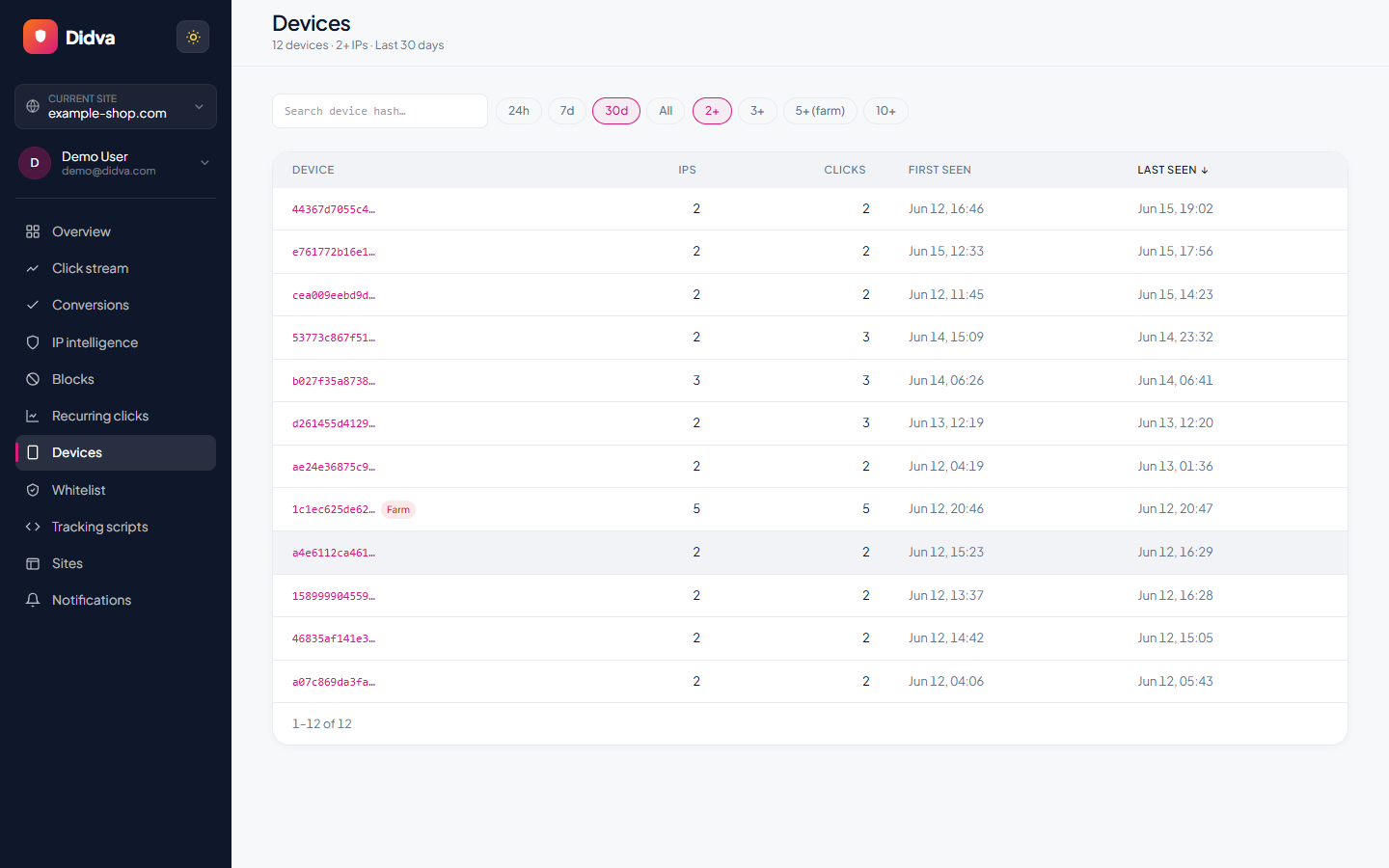
See Didva in action
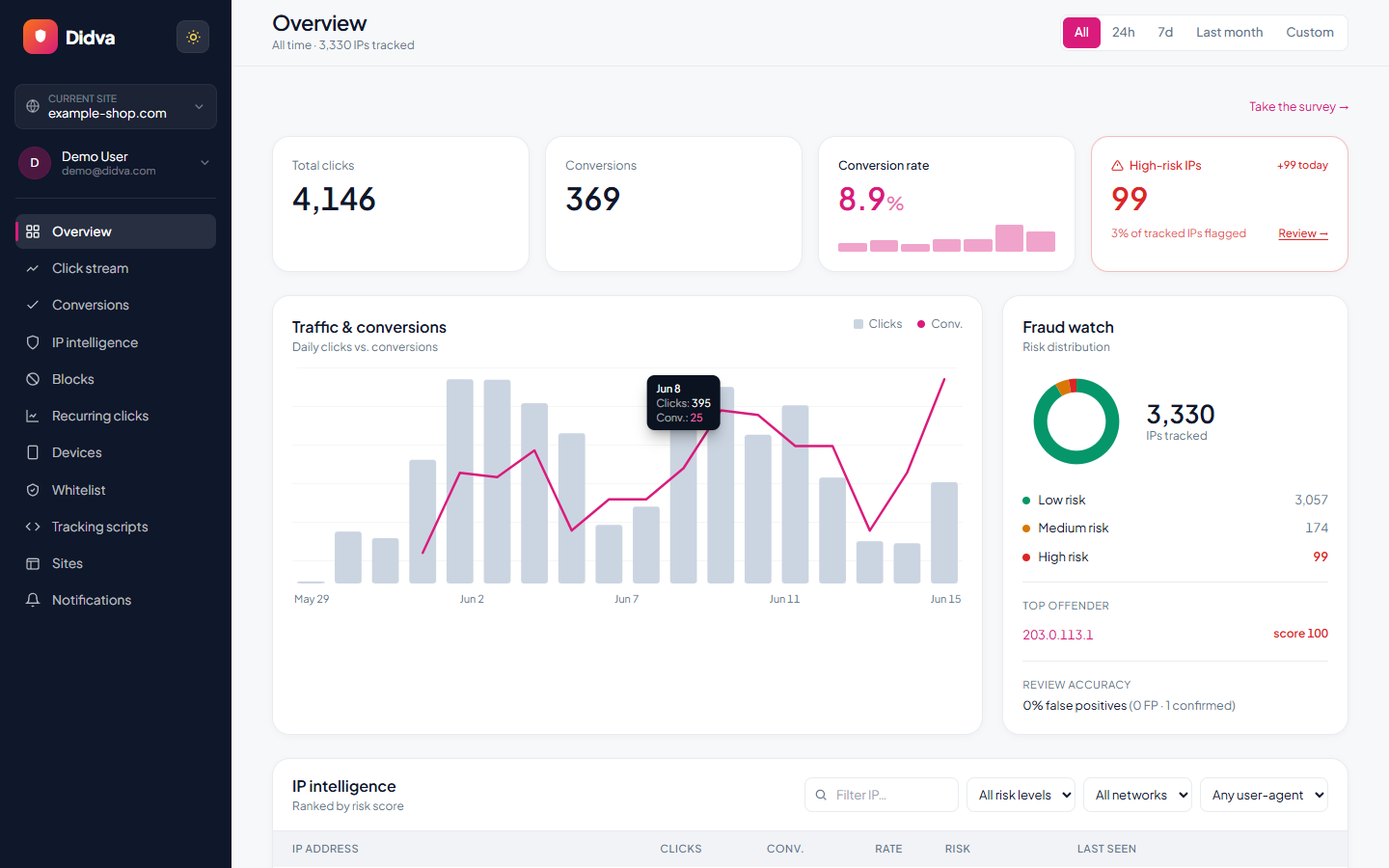
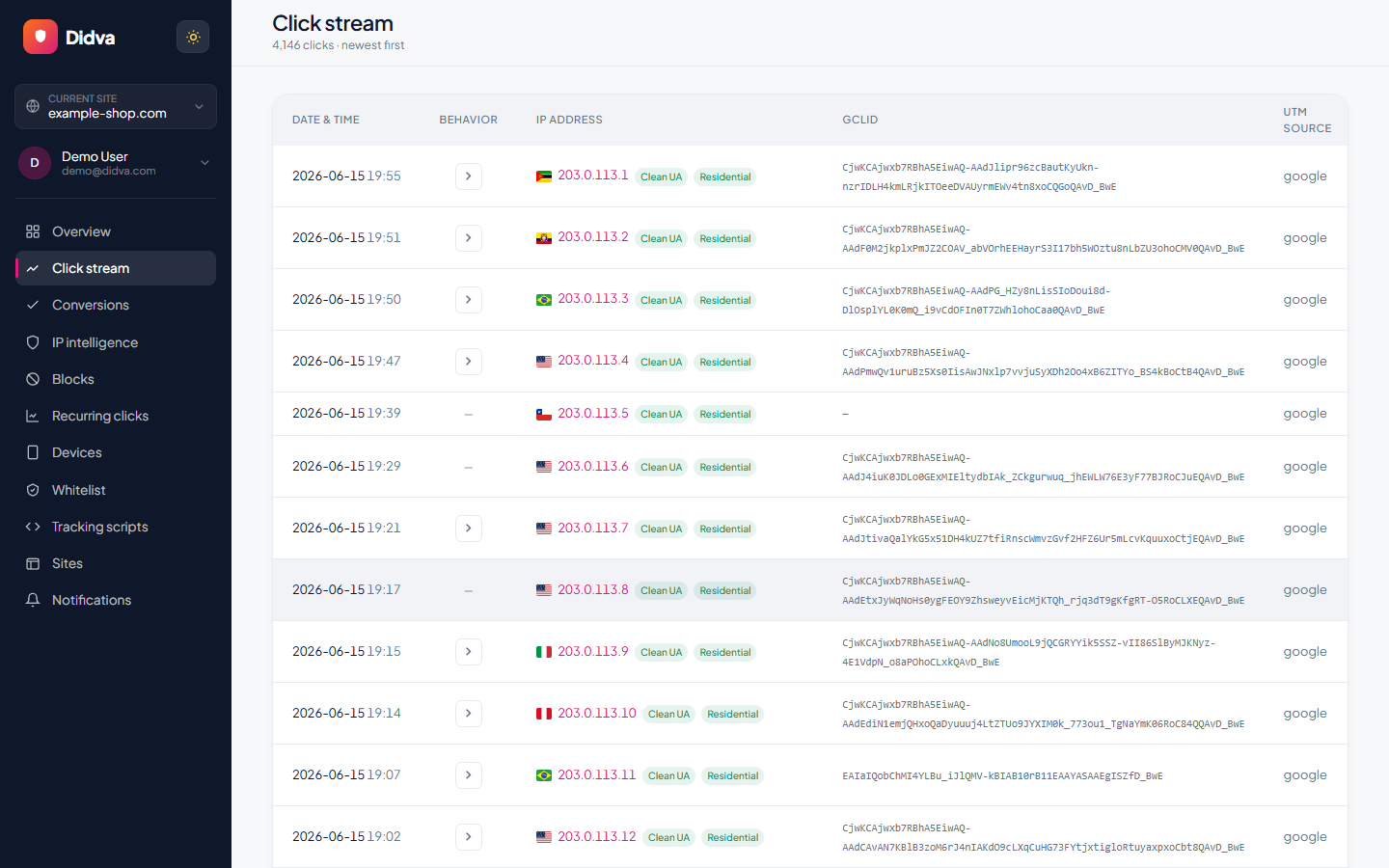
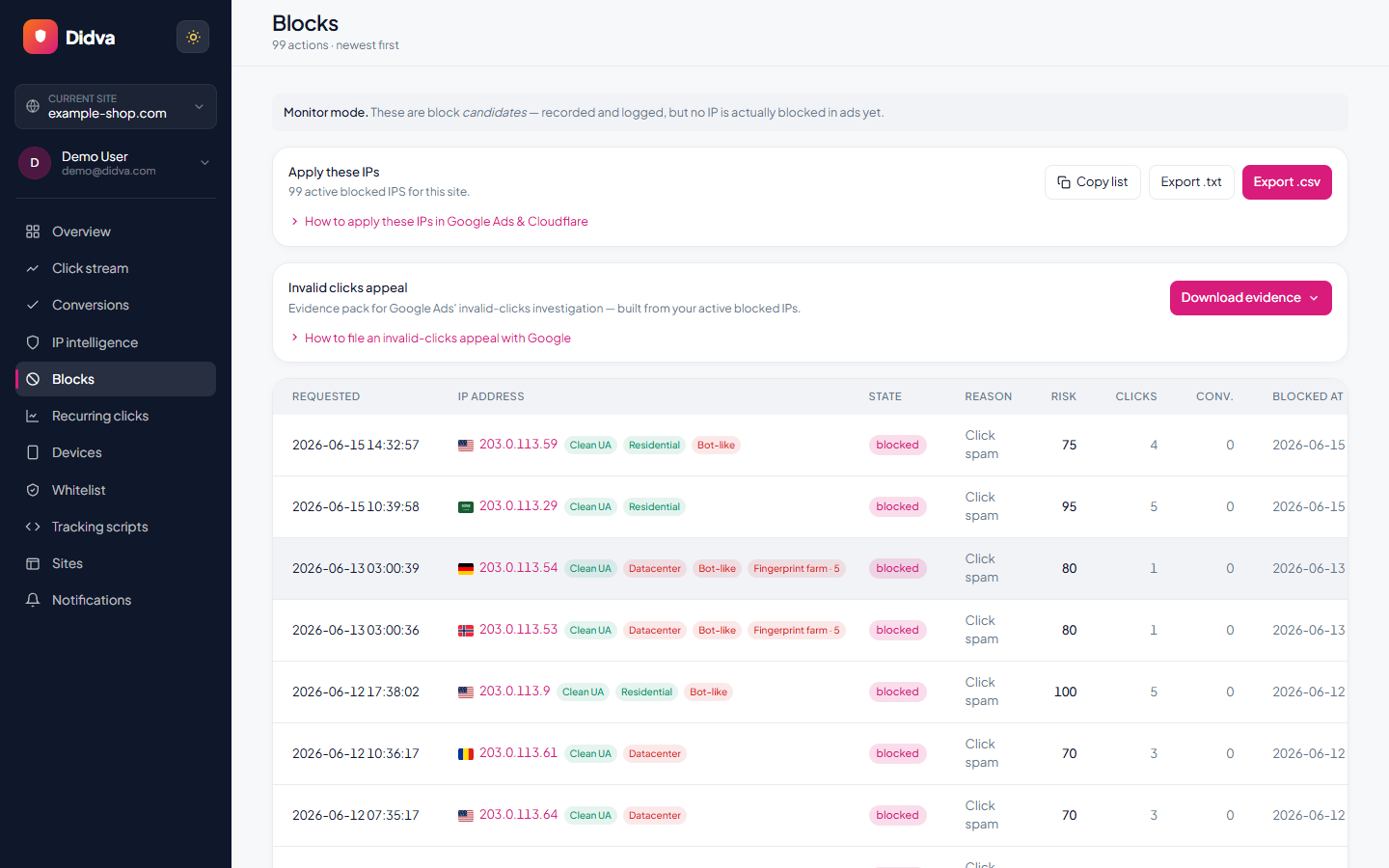
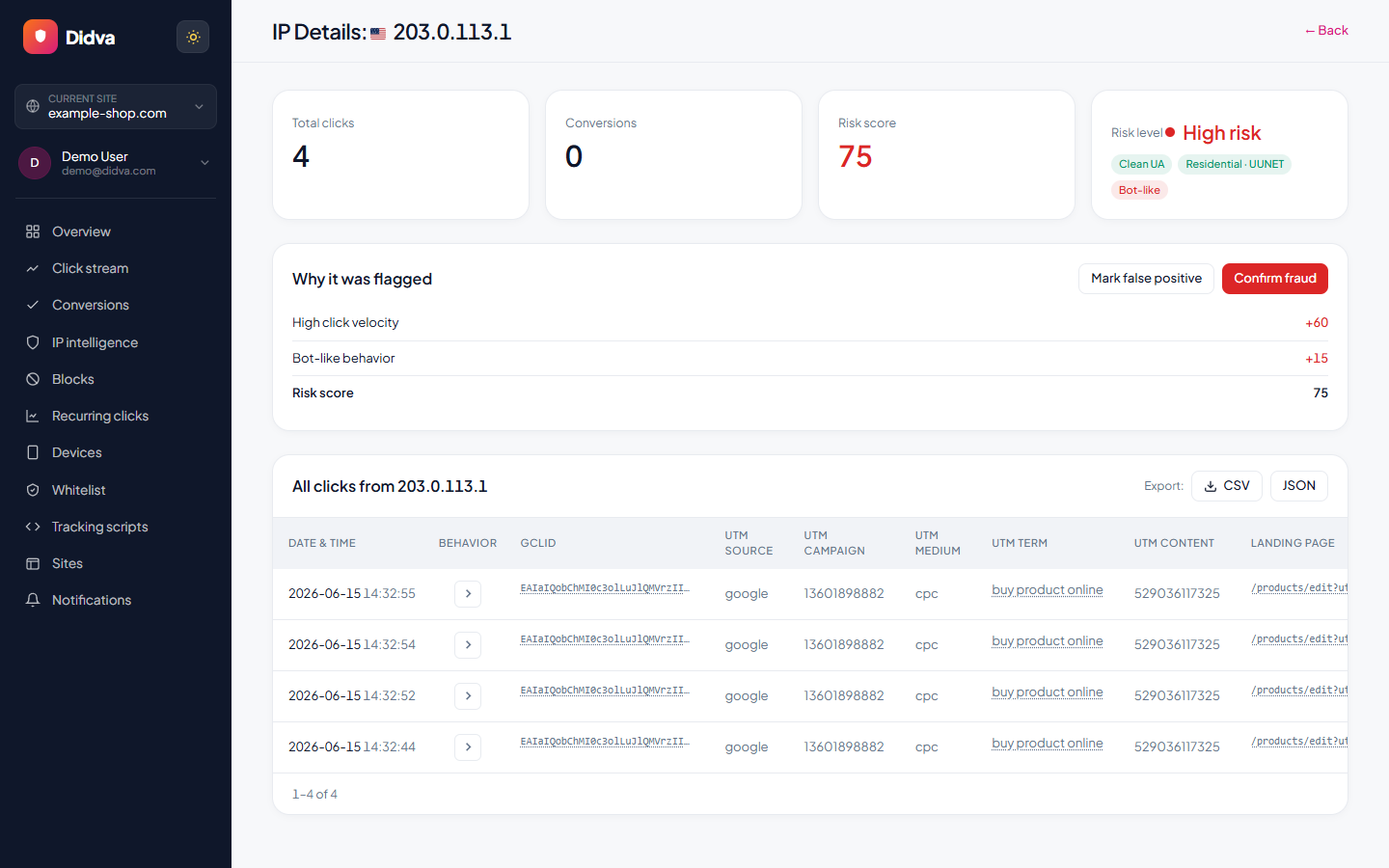
Real-time monitoring, risk scoring and one-click evidence, all in one dashboard.
What advertisers say
Real feedback from teams protecting their paid traffic with Didva.
Caught a click-farm pattern our previous tool missed and cut wasted spend within the first month.
Setup was a single snippet. The evidence export made our Google Ads refund request painless.
Clear per-IP reasons and a review queue so we are not blocking real customers. Exactly what we needed.
Datacenter and repeat-click detection paid for itself fast. Reporting is clear enough to share with clients.
We manage campaigns across several clients and the dashboard quickly highlighted traffic patterns we would have otherwise missed.
Simple setup, useful alerts, and enough detail to investigate suspicious visitors without involving developers.
The product delivered value quickly. I would like a few more filtering options, but the core detection features work well.
The manual review queue helped us avoid blocking legitimate visitors while still dealing with suspicious traffic.
The IP-level evidence makes client conversations much easier. Instead of assumptions, we can show actual data.
One of the cleaner interfaces we have used in the ad fraud space. Reports are easy to understand.
Within the first week we found a source of repeated clicks that had been consuming budget for months.
Useful notifications, clear reasoning, and very little noise. Most flagged visits deserved attention.
We mainly wanted better visibility into traffic quality. The platform delivered exactly that.
I like that every flag includes supporting details. It builds confidence in the decisions being made.
We tested several tools and this was the easiest one to explain to both clients and team members.
Good balance between automation and transparency. Nothing feels hidden behind a black box.
The repeat-click reports helped us identify unusual traffic spikes during a competitor campaign launch.
Client reporting became much easier once we started including the exported traffic quality reports.
Strong product overall. A few advanced reporting features would be nice, but detection accuracy has been solid.
The value was obvious after the first couple of weeks. We now review suspicious traffic as part of our regular workflow.
Ready to see which clicks are real? Start protecting your paid traffic in minutes.
Start Protecting Your AdsFrequently asked questions
How much does CHEQ cost?
CHEQ doesn't publish prices. Its site has no pricing page, and every call to action leads to a demo. The only way to know is to ask for a quote. If you want a published price from the same company, ClickCease starts at $99 a month.
Is ClickCease the same as CHEQ?
ClickCease is owned by CHEQ. Its own FAQ says it "is owned by CHEQ and was known formerly as CHEQ Essentials." CHEQ is the enterprise platform; ClickCease is the self-serve click fraud product, with its own pricing.
What happened to CHEQ Essentials?
It was renamed ClickCease. The old essentials.cheq.ai address now redirects to a ClickCease page titled "CHEQ Essentials is now ClickCease".
Can small businesses use CHEQ?
CHEQ is sold to enterprises by demo, and ClickCease's pricing page points "brands with 1M+ annual web visits" to CHEQ. In practice CHEQ's own pricing points smaller advertisers to ClickCease.
Do I need CHEQ, or just click fraud protection?
If your problem is wasted ad clicks, click fraud protection is enough. You need something like CHEQ when you also want to stop fake form fills, bad sign-ups, account takeover or bot traffic across the whole site, with one vendor and enterprise certifications.
Does Didva cover everything CHEQ does?
No. Didva covers ad clicks on Google Ads (automatic exclusions outside Performance Max), Microsoft Ads (scoring and a paste-ready exclusion list on paid plans) and Meta (tagged clicks, turned away at your site through Cloudflare on the Growth plan). It has no form protection, account-fraud checks or certifications like CHEQ's.
How do I switch from CHEQ to another tool?
Check your contract's end date and notice period, export your current exclusion lists, run the new tool alongside CHEQ for a few weeks, then turn on its blocking before CHEQ's access ends. The steps are set out above.
Is Didva affiliated with CHEQ?
No. We're a separate company, and each CHEQ or ClickCease fact here links to the page it came from.
Sources
- CHEQ homepage (product areas, Forrester recognition)
- CHEQ click fraud protection page ("700 enterprise customers")
- CHEQ trust page (SOC 2 Type II, ISO certifications)
- CHEQ Form Guard
- ClickCease: "CHEQ Essentials is now ClickCease"
- ClickCease pricing (checked 30 Sep 2026)
- ClickCease FAQ: trial, cancellation, CHEQ ownership
- CHEQ Acquisition: platforms covered
- CHEQ integrations list
Didva is an independent product and is not affiliated with, endorsed by, or sponsored by CHEQ or ClickCease. All product names and trademarks belong to their owners. CHEQ and ClickCease details were read on their own websites on 30 September 2026 and can change; confirm them with the vendor before you decide.
See how much of your traffic is real
Tell us your site and we'll show you where invalid clicks are draining your budget.
Related solutions
See a price without booking a demo.
Start on Didva's free plan today and measure your own invalid clicks before you talk to any vendor.