A ClickCease Alternative With Pricing That Doesn't Change After 3 Months
ClickCease covers Google, Meta and Microsoft with a 7-day trial. If the introductory-rate pricing structure is what's pushing you to look elsewhere, here's how Didva compares.
✓ No credit card required · Setup in minutes · Cancel anytime
ClickCease is a well-established click fraud tool with broad channel coverage: Google, Meta and Microsoft in one product. If you're evaluating alternatives, the pricing structure is usually the real question, not the detection itself, so that's where this comparison focuses.
ClickCease's Starter plan signs up at $69/month, but that's an introductory rate. Per ClickCease's own pricing page, the first 3 billing cycles are discounted 30% and the regular price of $99/month is billed from month 4. There's a 7-day free trial, not an ongoing free tier. If you want a price that stays the same and a way to keep monitoring for free past a trial window, that's the gap worth checking.
Didva vs ClickCease at a glance
Competitor details from public pages, as of August 2026. Confirm current terms with the vendor.
| Feature | Didva | ClickCease |
|---|---|---|
| Starting price ClickCease discounts the first 3 billing cycles by 30%; the regular Starter price is $99/month. | $39/month, flat | $69/month for the first 3 months |
| Price from month 4 | Still $39/month | $99/month |
| Free option | Free tier, no expiry (3,000 clicks/mo, no card) | 7-day free trial |
| Ad channels covered today | Google Ads, Bing and Meta live | Google, Meta, Microsoft |
An introductory rate vs. a flat one
ClickCease's Starter, Pro and Advanced tiers each show a discounted signup price next to the regular one, with a footnote: the 30% discount applies to the first 3 billing cycles, and the regular price is billed from month 4. It's clearly disclosed, but it does mean the number you sign up at isn't the number you pay long-term.
Didva's Starter plan is $39/month, flat. No introductory period, no scheduled increase. What you see is what you pay in month four and month forty.
A 7-day trial vs. a free tier with no end date
ClickCease's evaluation path is a 7-day free trial. That's enough to get a first look, but not much time to judge results across a full billing cycle or a slower month.
Didva's Watchtower plan is free forever: 3,000 clicks/month, no credit card, no expiry. You can run it as long as you want before deciding whether to upgrade, or keep using it indefinitely if 3,000 clicks/month covers your account.
Channel coverage is now at parity
Channel coverage used to be ClickCease's clearest edge in this comparison, and it isn't anymore. ClickCease protects Google, Meta and Microsoft; Didva covers Google Ads, Microsoft Bing and Meta (Facebook and Instagram) live, with Meta included on every paid plan. Whichever tool you lean toward, map the coverage rows against where your spend actually goes before you switch anything.
Running Didva alongside ClickCease before you switch
You don't have to decide from pricing pages alone. Because Didva's Watchtower tier is free with no expiry and no credit card, the lowest-risk evaluation is to run it in monitoring mode next to your existing ClickCease setup for a full billing cycle and compare what each one flags on the same traffic.
That sidesteps the 7-day-trial problem entirely: a week is rarely enough to see a slow month, a competitor-attack spike, or how many borderline clicks each tool would have blocked. A month of parallel data is, and it costs nothing to collect.
What ClickCease actually costs per tier
ClickCease publishes four tiers, and each of the three priced ones is discounted 30% for the first three billing cycles before reverting. Read as signup price, then the price you actually live with:
- Starter — $69/month for three months, then $99/month. One website, 5,000 tracked visits, 250 HubSpot leads.
- Pro — $104/month for three months, then $149/month. Five websites, 10,000 tracked visits.
- Advanced — $244/month for three months, then $349/month. Twenty websites, 50,000 tracked visits, 2,500 HubSpot leads.
- Enterprise — custom pricing, sales contact only.
Annual billing takes a further 15% off. Note what the volume metric counts: ClickCease's own tooltip defines tracked traffic as any user activity it detects or blocks, internal page views included, not just ad clicks. So compare the allowance against your whole site's traffic, not your ad spend. Figures read from ClickCease's pricing page in August 2026.
The other ClickCease alternatives worth checking
If you are comparing more than one option, these are the tools that actually come up against ClickCease, and the one thing that distinguishes each:
- Fraud Blocker — self-serve with published pricing, Google-first.
- ClickGUARD — rule-driven blocking with deep Google Ads controls.
- Lunio (formerly PPC Protect) — enterprise, no published price; quoted as a share of your ad spend.
- CHEQ — a full go-to-market security suite rather than a click-fraud tool. Worth knowing that ClickCease is itself a CHEQ product, which is why its pricing page describes tracked traffic as activity "that CHEQ detects or blocks".
- Spider AF — published pricing from $150/month, tiered by click volume.
- TrafficGuard and IPQualityScore — broader ad-verification and risk-scoring platforms.
We have written up the ones we can compare on first-party figures; those pages are linked at the foot of this page, each carrying the vendor's own numbers and the date they were read.
Track → Score → Block → Report → Optimize
A closed loop that turns raw paid clicks into clean, defensible traffic data.
- 1
Check the real long-term price
Confirm whether a quoted rate is introductory before you commit.
- 2
Map your channels
Confirm each tool covers the platforms where your spend actually goes.
- 3
Start free, no clock
Watchtower has no 7-day limit and no credit card requirement.
- 4
Review before blocking
Check flagged traffic and evidence before enabling automatic exclusions.
- 5
Compare on your own data
Run Didva alongside ClickCease and see what each one actually catches.
Everything you need to protect paid traffic
Detection, blocking, alerting and clean reporting in one place.
Flat pricing, no rate increase
$39/month starting price stays $39/month, no introductory-rate step-up.
Free with no expiry
Watchtower stays free indefinitely, not just for a 7-day trial window.
Click-level evidence
See the reason and confidence behind every flagged click.
Manual review queue
Hold borderline traffic for a human decision instead of auto-blocking everything.
CSV + appeal exports
Evidence packs formatted for Google Ads invalid-click refund claims.
Self-serve signup
Start monitoring today without a sales call.
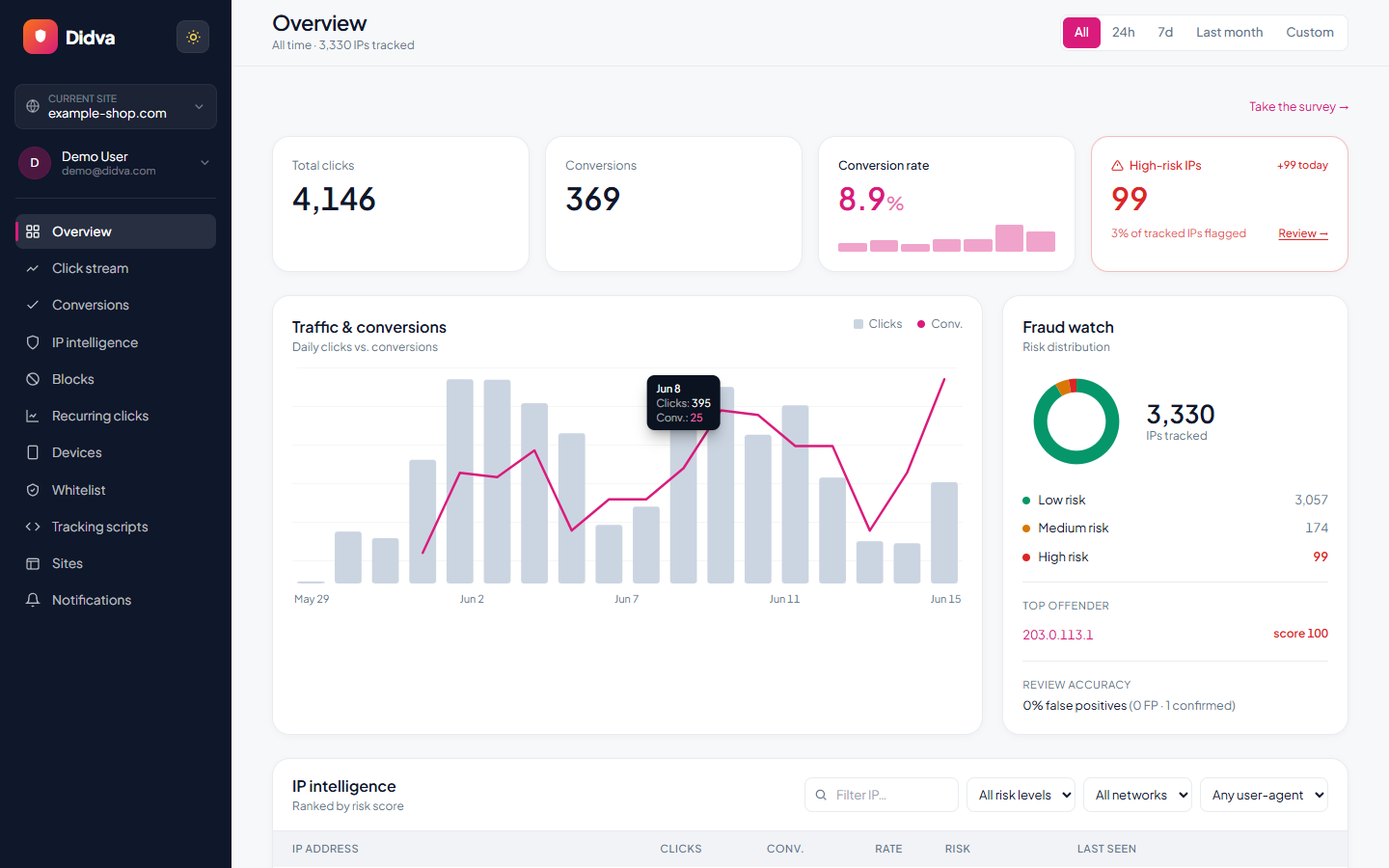
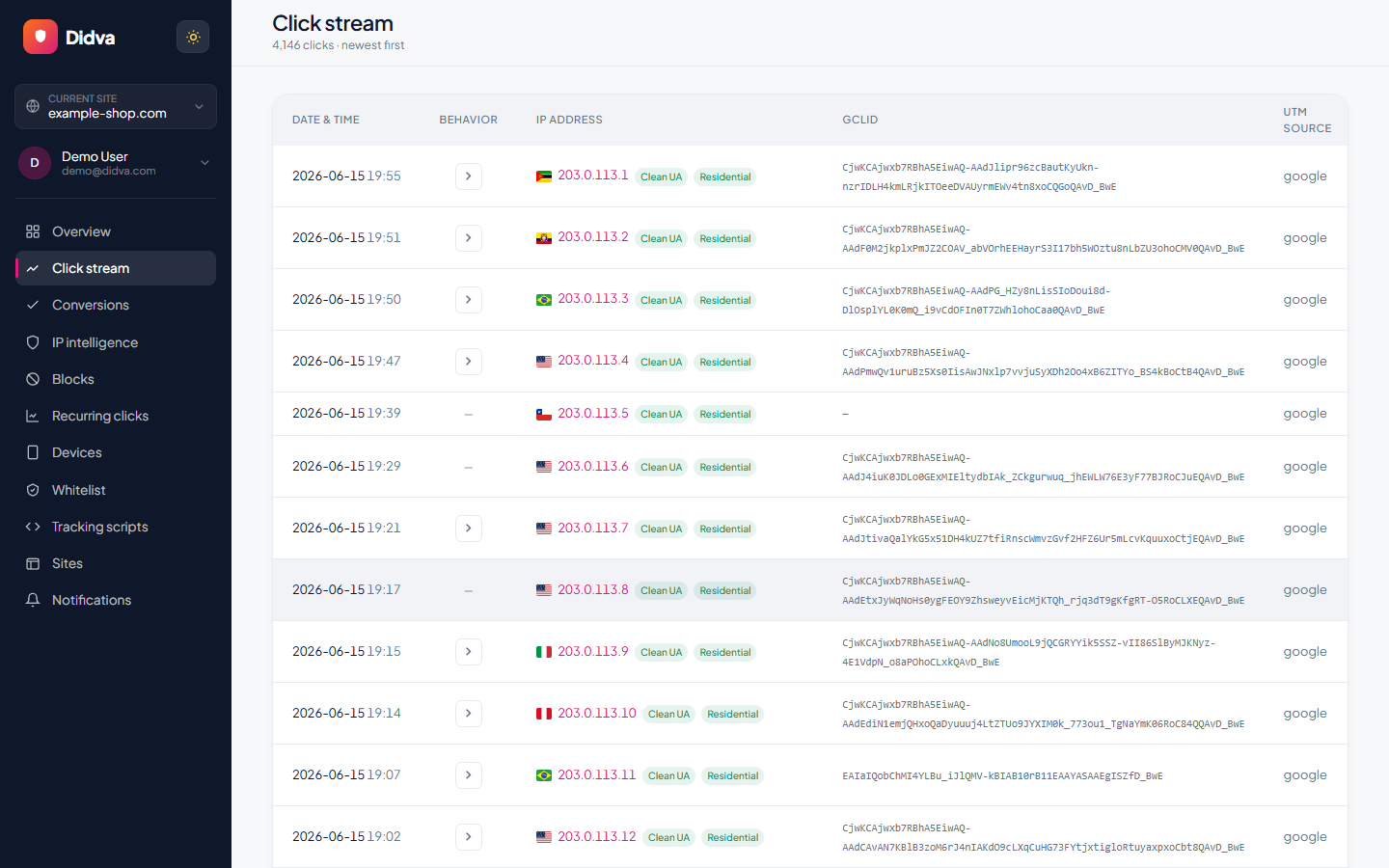
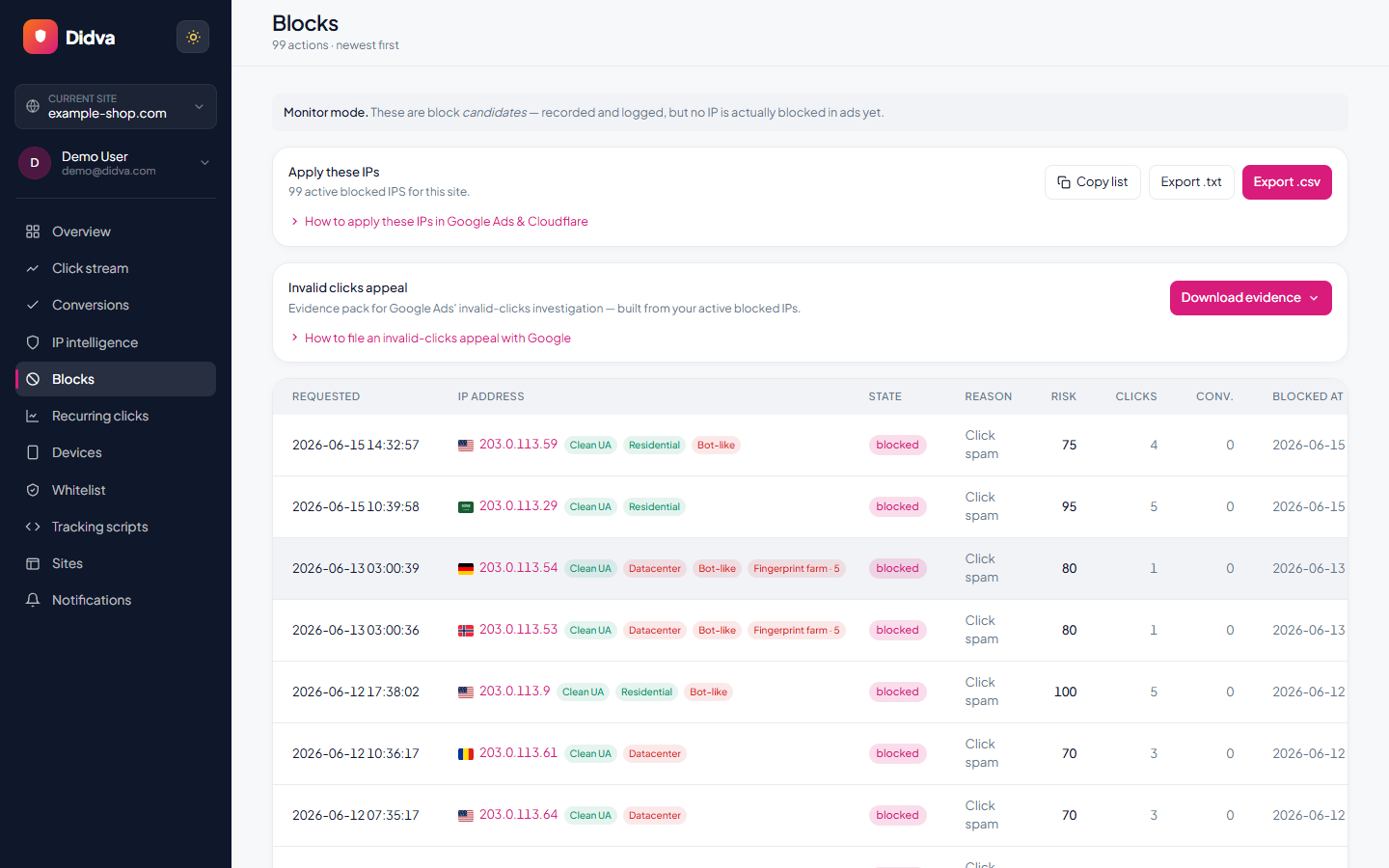
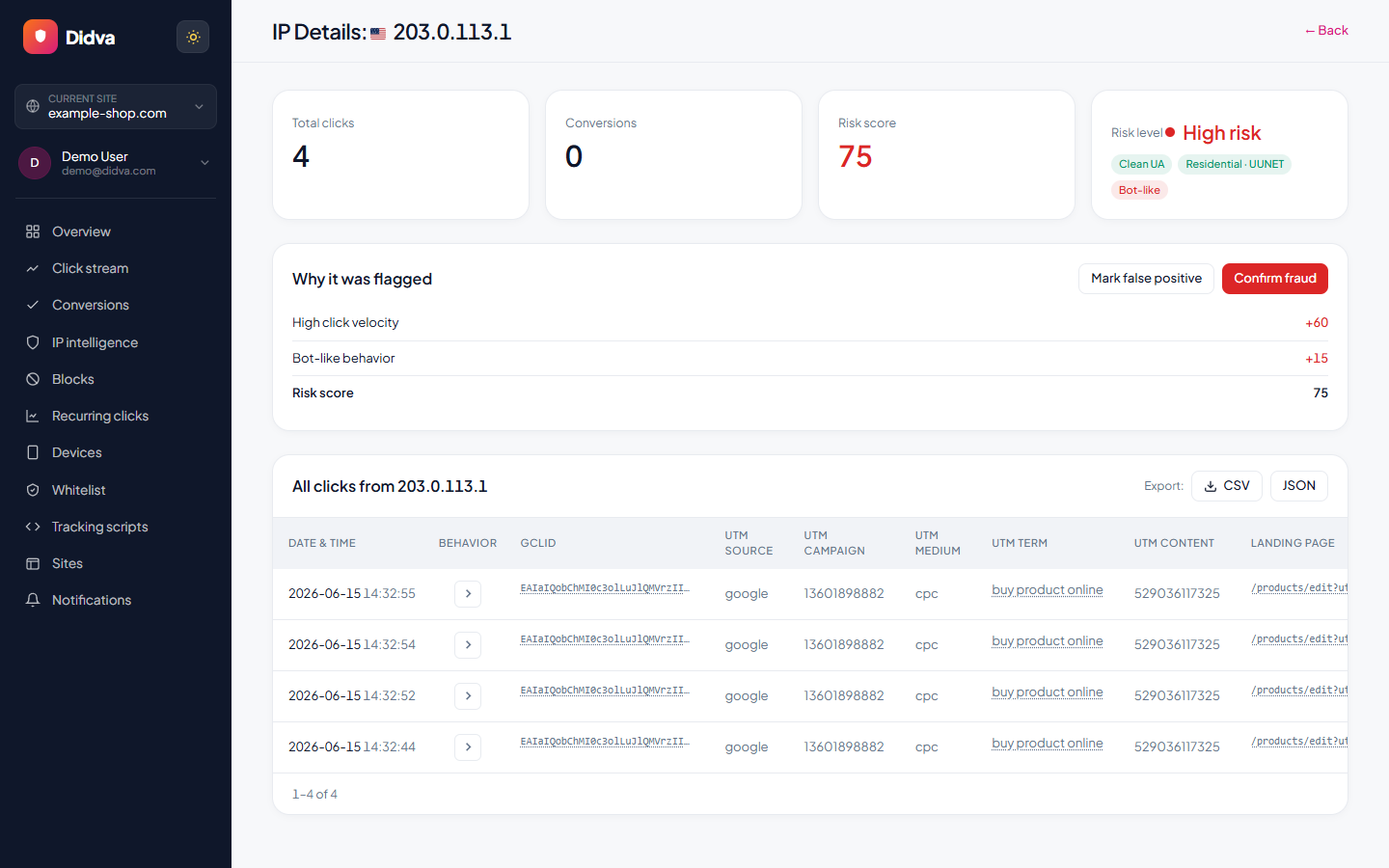
See Didva in action
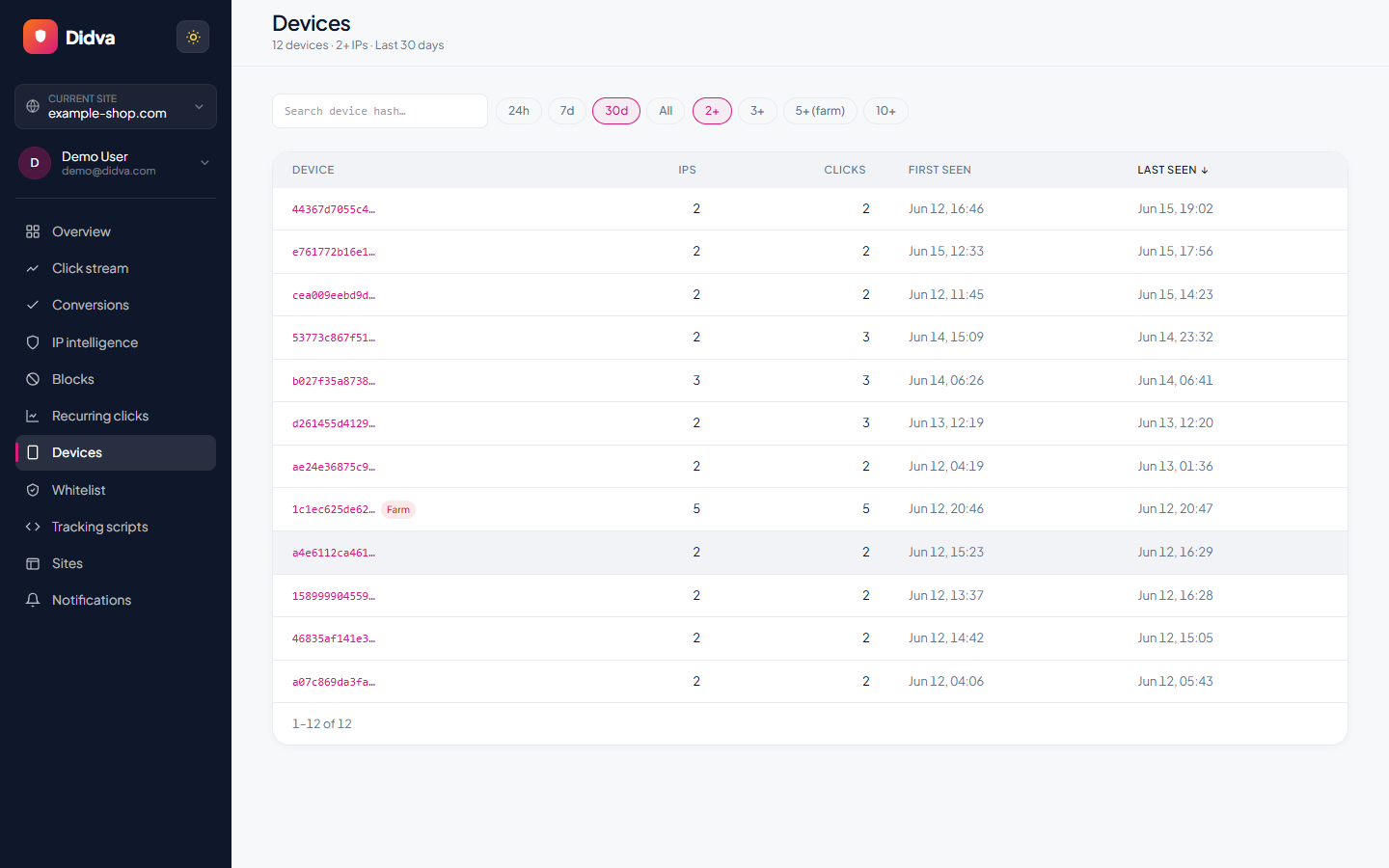
Real-time monitoring, risk scoring and one-click evidence, all in one dashboard.
What advertisers say
Real feedback from teams protecting their paid traffic with Didva.
Caught a click-farm pattern our previous tool missed and cut wasted spend within the first month.
Setup was a single snippet. The evidence export made our Google Ads refund request painless.
Clear per-IP reasons and a review queue so we are not blocking real customers. Exactly what we needed.
Datacenter and repeat-click detection paid for itself fast. Reporting is clear enough to share with clients.
We manage campaigns across several clients and the dashboard quickly highlighted traffic patterns we would have otherwise missed.
Simple setup, useful alerts, and enough detail to investigate suspicious visitors without involving developers.
The product delivered value quickly. I would like a few more filtering options, but the core detection features work well.
The manual review queue helped us avoid blocking legitimate visitors while still dealing with suspicious traffic.
The IP-level evidence makes client conversations much easier. Instead of assumptions, we can show actual data.
One of the cleaner interfaces we have used in the ad fraud space. Reports are easy to understand.
Within the first week we found a source of repeated clicks that had been consuming budget for months.
Useful notifications, clear reasoning, and very little noise. Most flagged visits deserved attention.
We mainly wanted better visibility into traffic quality. The platform delivered exactly that.
I like that every flag includes supporting details. It builds confidence in the decisions being made.
We tested several tools and this was the easiest one to explain to both clients and team members.
Good balance between automation and transparency. Nothing feels hidden behind a black box.
The repeat-click reports helped us identify unusual traffic spikes during a competitor campaign launch.
Client reporting became much easier once we started including the exported traffic quality reports.
Strong product overall. A few advanced reporting features would be nice, but detection accuracy has been solid.
The value was obvious after the first couple of weeks. We now review suspicious traffic as part of our regular workflow.
Ready to see which clicks are real? Start protecting your paid traffic in minutes.
Start Protecting Your AdsFrequently asked questions
Is Didva affiliated with ClickCease?
No. This is an independent comparison to help advertisers evaluate options. ClickCease and all product names belong to their respective owners.
What is ClickCease's pricing?
ClickCease's Starter plan signs up at $69/month, which is a 30% discount applied to the first 3 billing cycles; the regular price of $99/month is billed from month 4. Didva's Starter plan is $39/month flat, with no scheduled increase.
Is ClickCease's advertised price the price I'll always pay?
Per ClickCease's own pricing page, the signup rate is discounted 30% for the first 3 billing cycles and the regular price is billed from month 4. Confirm current terms directly with ClickCease before signing up.
Which ad channels does each tool cover?
ClickCease covers Google, Meta and Microsoft today. Didva covers Google Ads, Microsoft Bing and Meta (Facebook and Instagram) live, with Meta included on every paid plan.
Can I try Didva without a time limit?
Yes. The Watchtower plan is self-serve, free forever, and has no trial countdown.
Didva is an independent product and is not affiliated with, endorsed by, or sponsored by ClickCease. All product names, logos and trademarks are the property of their respective owners. ClickCease pricing and channel coverage are cited from ClickCease's own public pricing page as of August 2026 and may have changed; confirm current details directly with ClickCease before deciding.
See how much of your traffic is real
Tell us your site and we'll show you where invalid clicks are draining your budget.
Related solutions
See a price that doesn't change after month 3.
Start free on Watchtower. No trial clock, no rate increase later.