Invalid Click Protection for Google Ads: What Google Misses
Google already filters invalid clicks for free. This page explains how that protection works, where its limits are, and what you can add on top.
✓ Free plan with no card · Paid plans from $39/month
Last updated · Reviewed by the Didva team
Every Google Ads account has invalid click protection built in. Google's filters remove clicks they judge invalid before you're billed, a review team looks for more, and clicks found later are credited back. What it doesn't give you is the list of visitors behind those numbers, or a way to stop a repeat clicker it didn't flag.
Google's protection is the base layer, and it's free. Add your own layer when your invalid click rate is high, your clicks are expensive, or you see the same visitors returning without converting. That layer is your own click record plus IP exclusions (500 per campaign and an account-level list), and a credit request for anything from the last 60 days.
How Google's invalid click protection works
Google describes three layers. Automated filters scan traffic continuously for interactions that don't match normal human behavior. Machine learning models sit alongside them. And a specialized Ad Traffic Quality team runs manual investigations. Clicks judged invalid before billing never reach your invoice; they're filtered out of your reported clicks and costs.
Detection doesn't stop at billing. When Google identifies invalid activity afterwards, it issues an invalid activity credit on a later invoice, labelled with the original invoice number, month of service and campaign. If you think Google missed something, you can ask it to look, through the click quality form, for activity within the last 60 days.
Where to see what Google caught
- The Invalid clicks column. Campaigns, Columns, search "Invalid clicks", Apply. This shows how many clicks Google filtered on each campaign.
- Billing. Credits appear on the Summary, Billing Activity and Transactions pages and on your month-end invoice.
- The Invalid Activity Credit Report. In Report Editor under Campaigns, it shows credits for Search and Performance Max, so you can see performance net of credits.
All three give you totals. None of them tells you which IP address, device or visitor was involved.
What Google's protection catches, and what it misses
Google's filters are built for traffic that doesn't behave like a person, such as bots and automated tools, and they draw on far more traffic than any single account sees.
They're weaker at clicks that look like a normal visitor on their own:
- A competitor who clicks your top ad a few times a day, every day. Any one click looks ordinary; the pattern only appears across days.
- Paid clickers working from real handsets. See click farm detection.
- Visits that are human but worthless to you, such as job seekers or students. Google doesn't treat those as invalid, and it's right not to.
Some things are simply outside what Google's protection does. You never get the addresses behind invalid clicks, so you can't exclude them yourself, and a visitor Google didn't flag keeps seeing your ads.
Google's protection compared with Didva
| Google Ads, built in | Didva | |
|---|---|---|
| Cost | Free, always on | Free plan; automatic blocking from $39/month |
| Filters clicks before you're billed | Yes | No, Google does the billing |
| Credits invalid clicks found later | Yes | No |
| Shows which visitors were flagged, and why | No, totals only | Yes, each visit with its reasons |
| Spots the same visitor across several days | Not reported to you | Yes, daily repeat-clicker check |
| Excludes flagged addresses in your campaigns | No, you add IPs by hand | Yes, on paid plans (not Performance Max) |
| Performance Max | Filtered by Google | Not covered inside Google Ads |
| Evidence for a credit request | You assemble it | Exports on paid plans; appeal packs on Growth |
Keep both on. (Microsoft runs a similar system; see Microsoft Ads click fraud.) Google keeps filtering and crediting. Didva adds the visitor-level record and the exclusions, and gives you something specific to send when you ask Google to look again. Plans start free; see PPC fraud protection.
Building evidence for a credit request
When you ask Google to investigate, a specific record helps: which campaigns, which dates, which addresses, and why the clicks look invalid (the same IP on consecutive days, one-second visits, a location you don't serve). Keep the request inside the 60-day window. Our step-by-step guide to reporting invalid clicks to Google Ads covers the form, and the refund evidence template shows a layout that works. For spotting the clicks in the first place, see fake clicks on Google Ads.
One snippet. No code changes.
Paste the Didva tag on your paid landing pages and it starts scoring clicks straight away.
<script async src="https://app.didva.com/js/ct-click.js" data-site-key="YOUR_SITE_KEY"></script>
Replace YOUR_SITE_KEY
with the key from your dashboard. Add the conversion tag to thank-you pages to keep lead quality clean.
See Didva in action
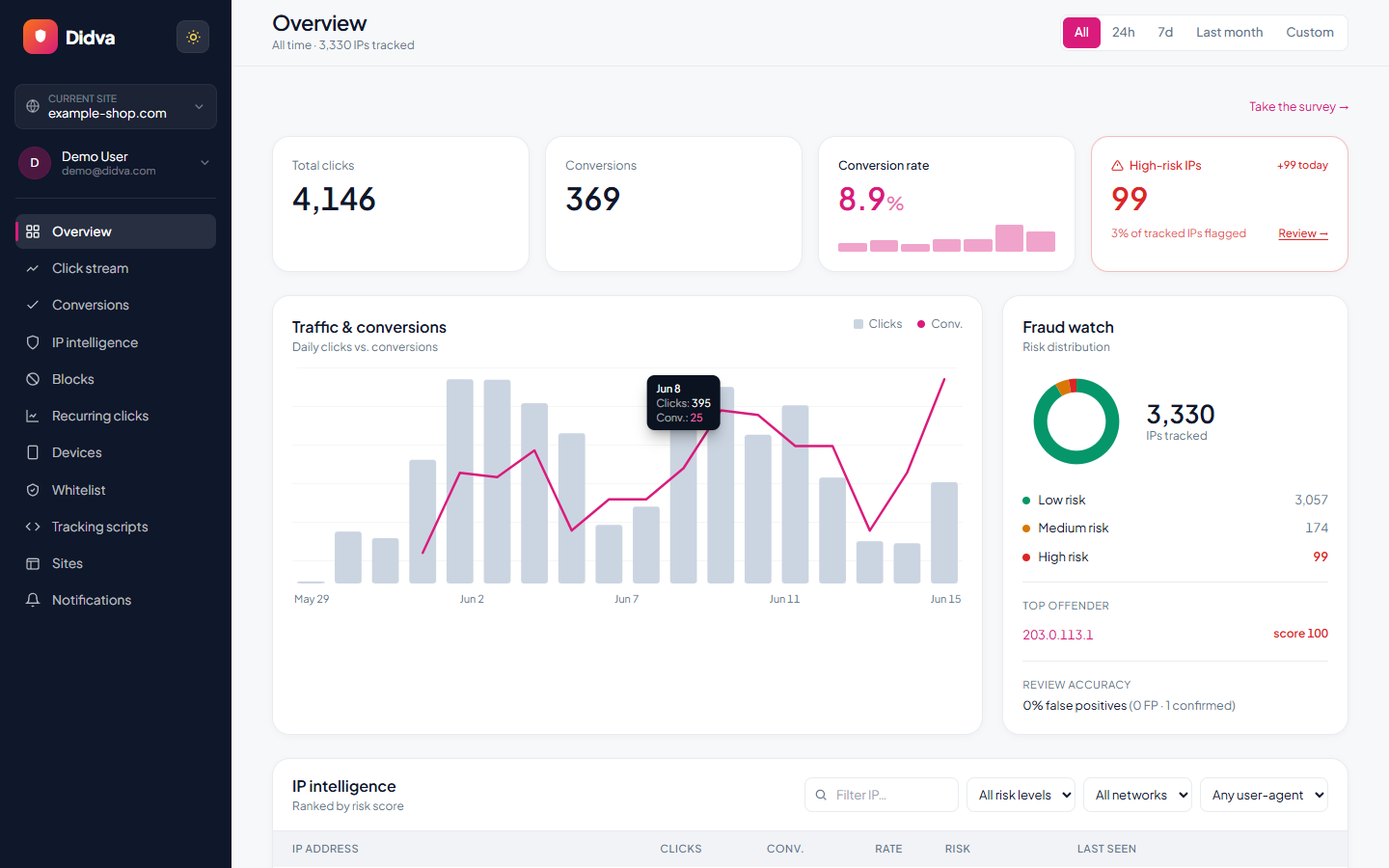
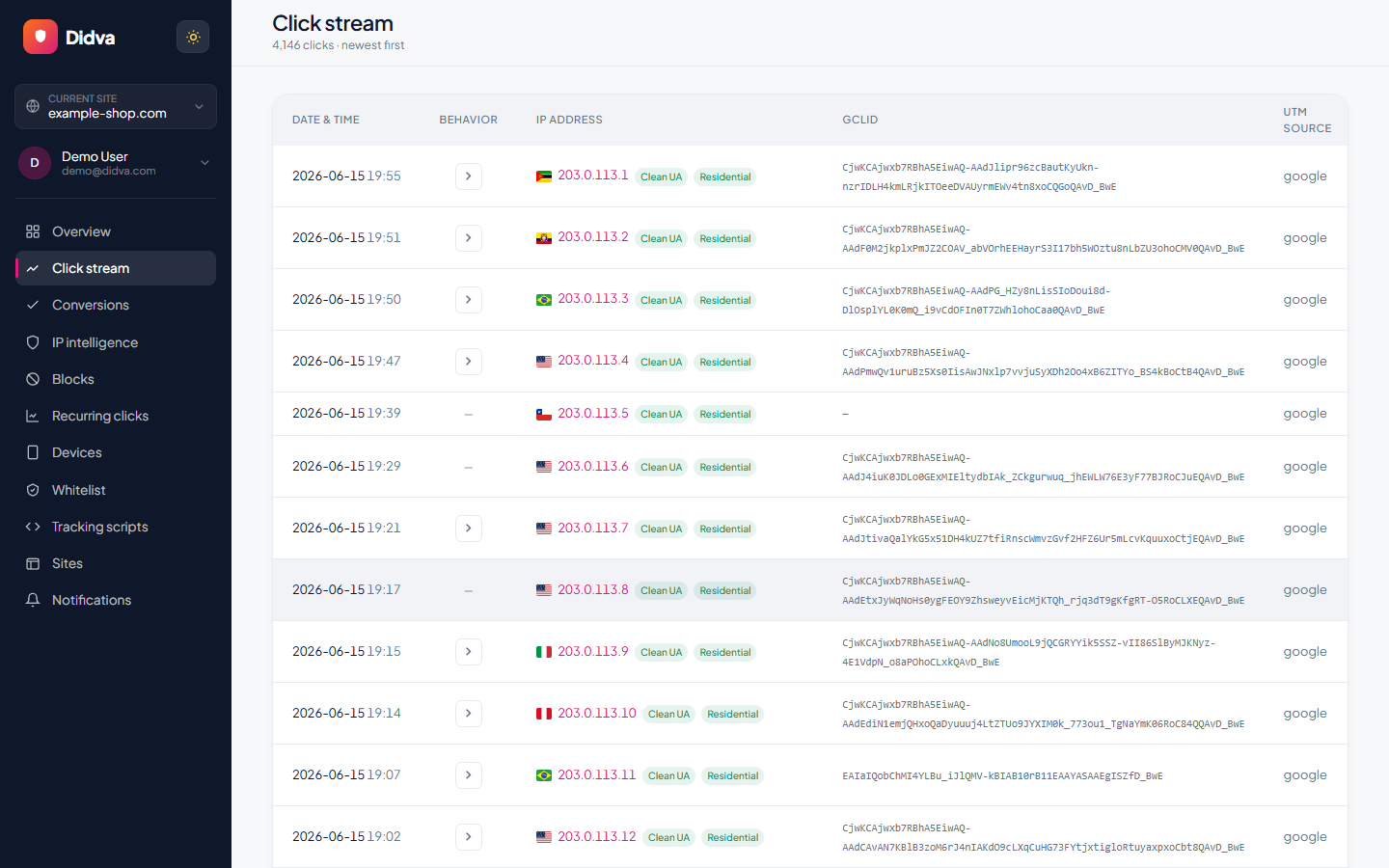
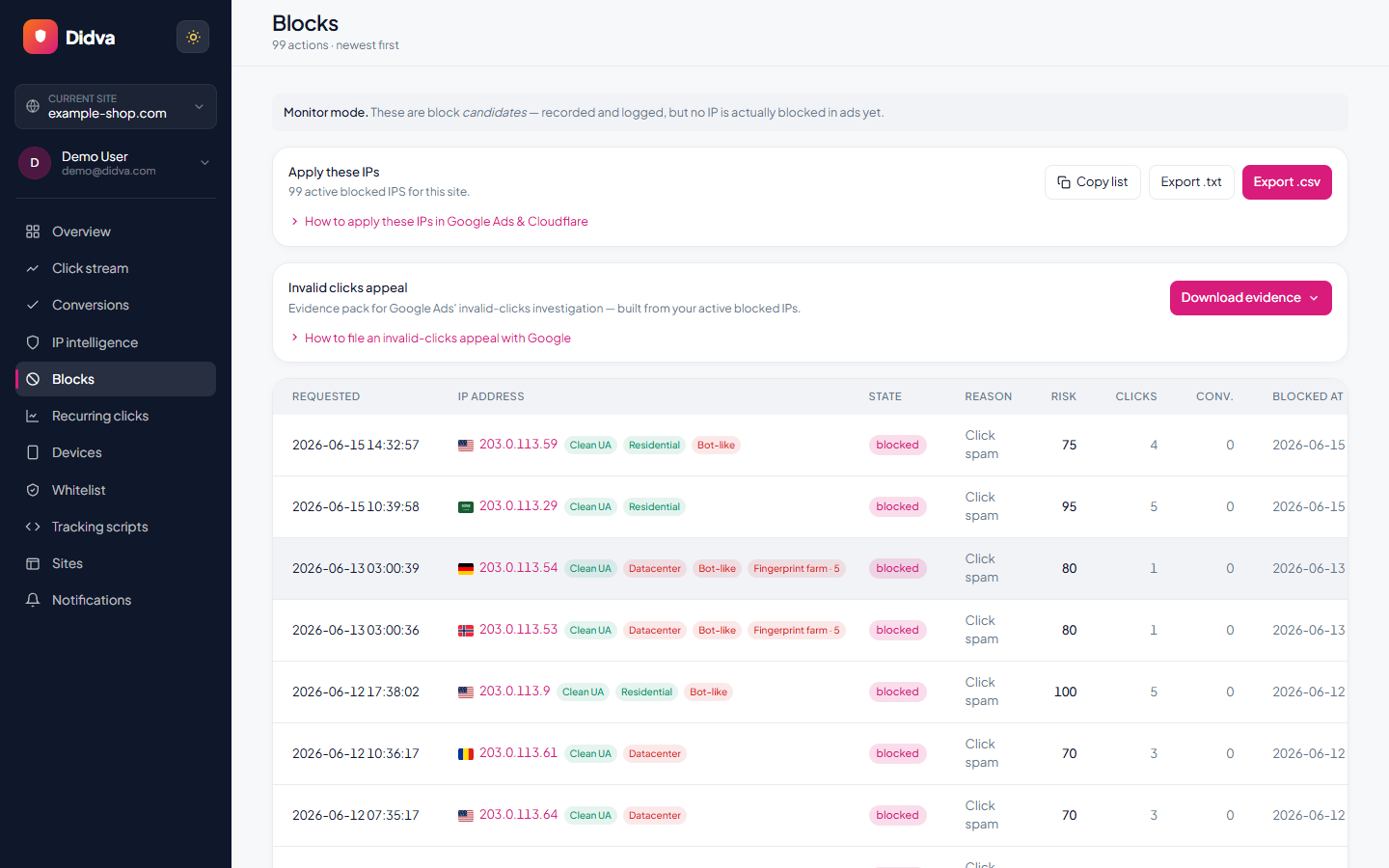
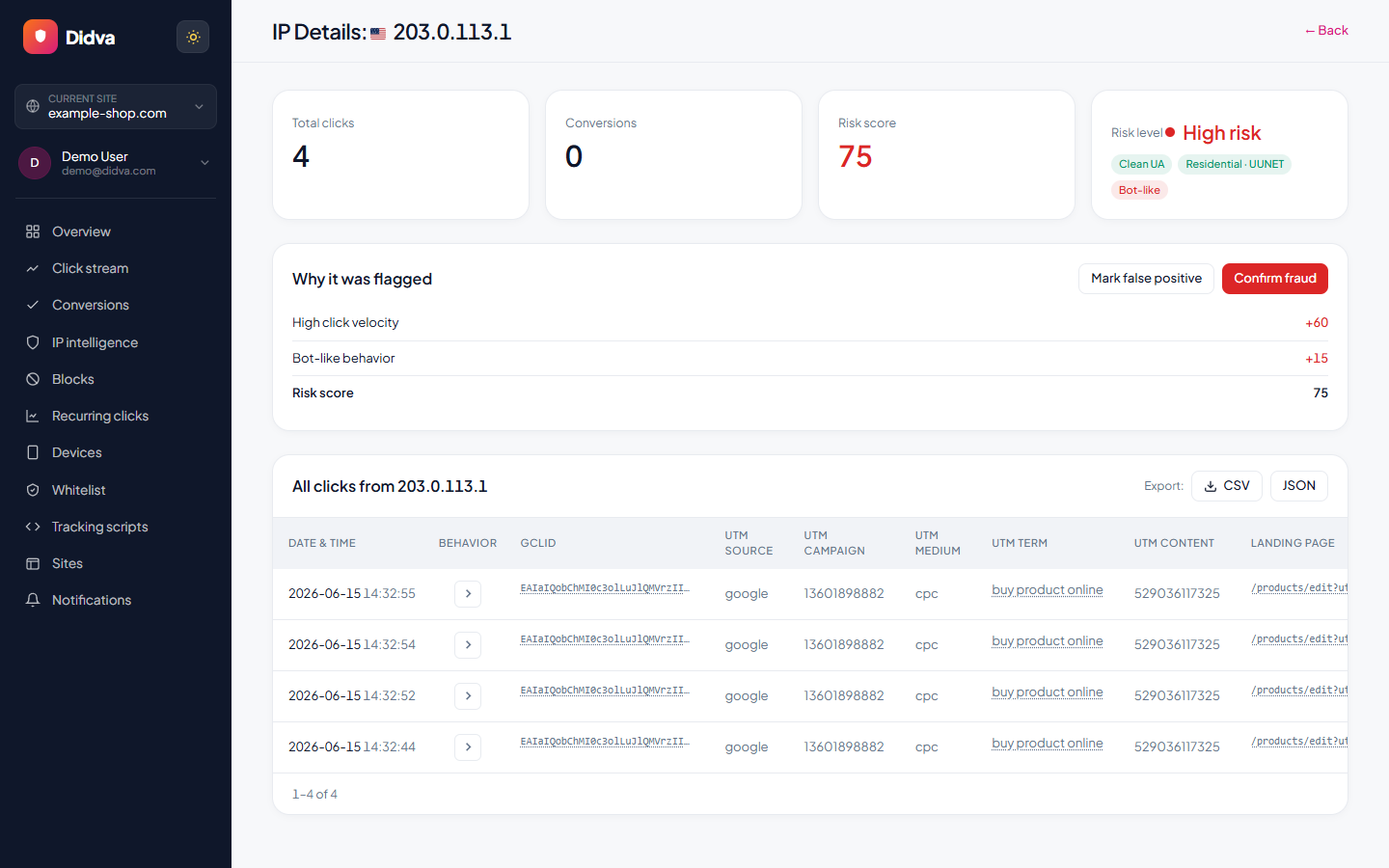
Real-time monitoring, risk scoring and one-click evidence, all in one dashboard.
What advertisers say
Real feedback from teams protecting their paid traffic with Didva.
Caught a click-farm pattern our previous tool missed and cut wasted spend within the first month.
Setup was a single snippet. The evidence export made our Google Ads refund request painless.
Clear per-IP reasons and a review queue so we are not blocking real customers. Exactly what we needed.
Datacenter and repeat-click detection paid for itself fast. Reporting is clear enough to share with clients.
We manage campaigns across several clients and the dashboard quickly highlighted traffic patterns we would have otherwise missed.
Simple setup, useful alerts, and enough detail to investigate suspicious visitors without involving developers.
The product delivered value quickly. I would like a few more filtering options, but the core detection features work well.
The manual review queue helped us avoid blocking legitimate visitors while still dealing with suspicious traffic.
The IP-level evidence makes client conversations much easier. Instead of assumptions, we can show actual data.
One of the cleaner interfaces we have used in the ad fraud space. Reports are easy to understand.
Within the first week we found a source of repeated clicks that had been consuming budget for months.
Useful notifications, clear reasoning, and very little noise. Most flagged visits deserved attention.
We mainly wanted better visibility into traffic quality. The platform delivered exactly that.
I like that every flag includes supporting details. It builds confidence in the decisions being made.
We tested several tools and this was the easiest one to explain to both clients and team members.
Good balance between automation and transparency. Nothing feels hidden behind a black box.
The repeat-click reports helped us identify unusual traffic spikes during a competitor campaign launch.
Client reporting became much easier once we started including the exported traffic quality reports.
Strong product overall. A few advanced reporting features would be nice, but detection accuracy has been solid.
The value was obvious after the first couple of weeks. We now review suspicious traffic as part of our regular workflow.
Ready to see which clicks are real? Start protecting your paid traffic in minutes.
Start Protecting Your AdsFrequently asked questions
What are invalid clicks in Google Ads?
Google defines them as clicks "that don't represent a genuine interest in your business", including accidental clicks from poor ad placement, clicks from bots and automated tools, and manual clicks meant to raise your costs.
Does Google charge for invalid clicks?
No. Clicks Google's automated protections identify as invalid are removed from your metrics and your bill. If Google finds invalid clicks after billing, it credits you on a later invoice where appropriate and possible.
Where do I see invalid clicks in Google Ads?
In Campaigns, open Columns, search for "Invalid clicks" and apply it. Credits show on the Summary, Billing Activity or Transactions page and on your monthly invoice, and the Report Editor has an "Invalid Activity Credit Report" for Search and Performance Max.
What is a normal invalid click rate?
Google doesn't publish a benchmark. Watch your own trend: a rate that jumps well above your usual level on one campaign is worth investigating, even though Google has already filtered those clicks.
How do I get a refund for invalid clicks Google missed?
Submit an invalid traffic investigation request through Google's click quality form, covering activity in the last 60 days. Include dates, campaigns, IP addresses and what makes the traffic suspicious.
Is Google's invalid click protection enough?
For many small accounts with cheap clicks, it may be. It's less complete when clicks cost several dollars, when a competitor clicks a few times a day, or when you need to see and block specific visitors, because Google reports totals rather than visitors.
What does Didva add to Google's protection?
A record of every paid visit with the reason a click was flagged, a nightly score, repeat-clicker detection across days, and on paid plans automatic IP exclusions in your Google Ads campaigns. It doesn't replace Google's filtering and can't change what Google bills.
See how much of your traffic is real
Tell us your site and we'll show you where invalid clicks are draining your budget.
Related solutions
Add your own layer on top of Google's.
Start on the free plan and see which clicks Didva flags that Google's totals don't show you.