Microsoft Ads Click Fraud: How to Detect and Block It
Microsoft filters a lot of bad clicks before you pay. This guide shows where the rest come from, where to see them in your account, and what you can block yourself.
✓ Free plan with no card · Paid plans from $39/month
Last updated · Reviewed by the Didva team
Microsoft Ads click fraud is paid clicks on your Bing, Yahoo or partner-site ads from bots, scripts or people with no interest in buying. Microsoft sorts every click into standard-quality, low-quality or invalid, and bills you only for standard-quality ones. Two reports and a column you have to switch on will show you most of what gets through.
Didva recognizes Microsoft Ads clicks from the msclkid marker Microsoft adds, scores each one every night, and shows you which addresses look automated or keep coming back. It does not connect to your Microsoft Ads account and does not add exclusions for you. Paid plans download a paste-ready list of addresses to put into Microsoft's IP exclusions yourself.
Where Microsoft Ads click fraud comes from
Microsoft shows your ads in more places than Bing. The default setting, "the entire Microsoft Advertising Network", includes Microsoft's own sites (Bing, MSN, Outlook.com), selected partner traffic, and additional search partners that Microsoft lists as including Yahoo, Ask.com and Forbes. Search ads can also appear as audience ads in places like the Edge new tab page and Outlook.
Partner traffic is the part you can see least of. Microsoft reports partner sites in aggregate, so you can't open a per-site report for each one, and a low-traffic partner sending a burst of clicks is easy to miss. The usual culprits are automated browsers running from data centers, clicks routed through VPNs to hide where they come from, and the same address clicking on several days in a row, which points to a person rather than a bot.
Check your account in 15 minutes
- Switch on the low-quality columns. In Campaigns, open the column picker and add Low-quality clicks and Low-quality click rate (%). Sort campaigns by the rate. A campaign far above your account's average is where to look first.
- Run the Website URL (publisher) report. It lists the sites that showed your ads. Sort by clicks and compare each site's conversion rate with Bing's. Sites with plenty of clicks and no conversions are candidates for exclusion.
- Look at the ad distribution setting. On each ad group, check Settings, then Advanced settings, then Ad distribution. If conversions from partner traffic are poor, try "Microsoft sites and select traffic" on one ad group and compare.
- Exclude what you found. Add poor sites to your website exclusions (up to 2,500 URLs) and repeat offenders to your IP exclusions (up to 100 per campaign).
- Keep notes for a credit request. Write down the campaign, dates, sites and addresses. You'll need them if you contact support.
One catch: a click Microsoft credits after billing stays in your reports as a standard-quality click. Your invoice changes, the report doesn't. Check billing credits against the report when you reconcile.
Microsoft Ads and Google Ads protection compared
| Microsoft Advertising | Google Ads | |
|---|---|---|
| How clicks are rated | Standard, low-quality or invalid | Valid or invalid |
| Report column | Low-quality clicks, Low-quality click rate (%) | Invalid clicks |
| IP exclusions per campaign | 100, IPv4, last-block wildcard | 500, wildcard for the last digits |
| Account-level IP list | Not described in Microsoft's help | Yes, covers Performance Max too |
| Site exclusions | Up to 2,500 URLs | Placement exclusions on Display and video |
| How to ask for a credit | Contact support | Click quality form, last 60 days |
| Credits appear | Monthly statement, up to a month later | Next invoice, where possible |
The 100-address limit is the practical problem. A campaign that attracts a steady trickle of new bad addresses fills its list quickly, and you have to choose which ones to keep. Wildcards help when the addresses share a range, and a tool that ranks offenders helps you keep the worst.
What Didva does on Microsoft Ads, and what it doesn't
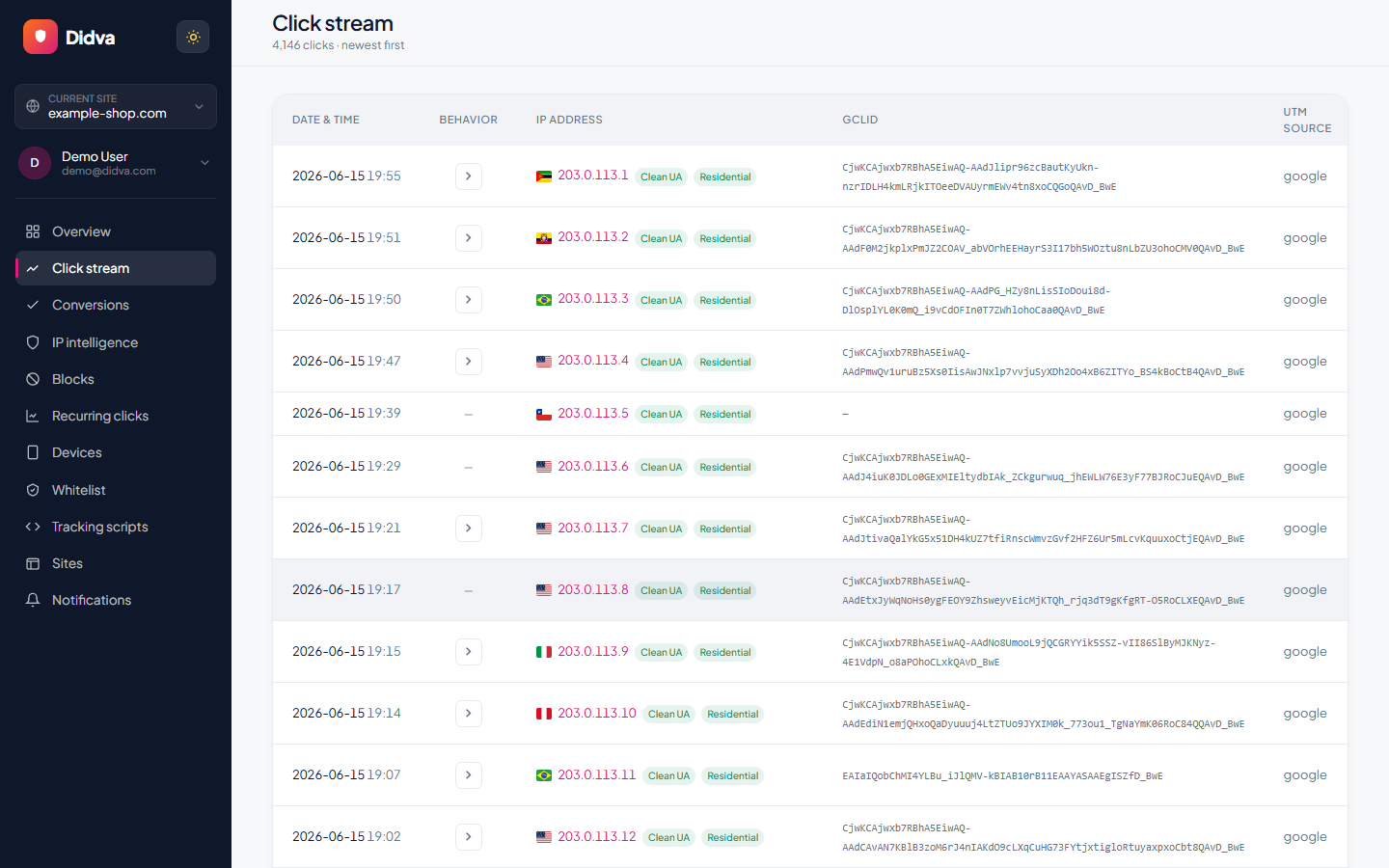
Didva's snippet records each paid visit to your site. Microsoft attaches its msclkid marker only to ad clicks, so Didva recognizes Microsoft traffic without extra setup, as long as auto-tagging is on in your Microsoft Ads account. Every night it scores the day's clicks against signals such as automated browsers, data-center and VPN networks, and Tor exits, and a daily check finds addresses that keep coming back.
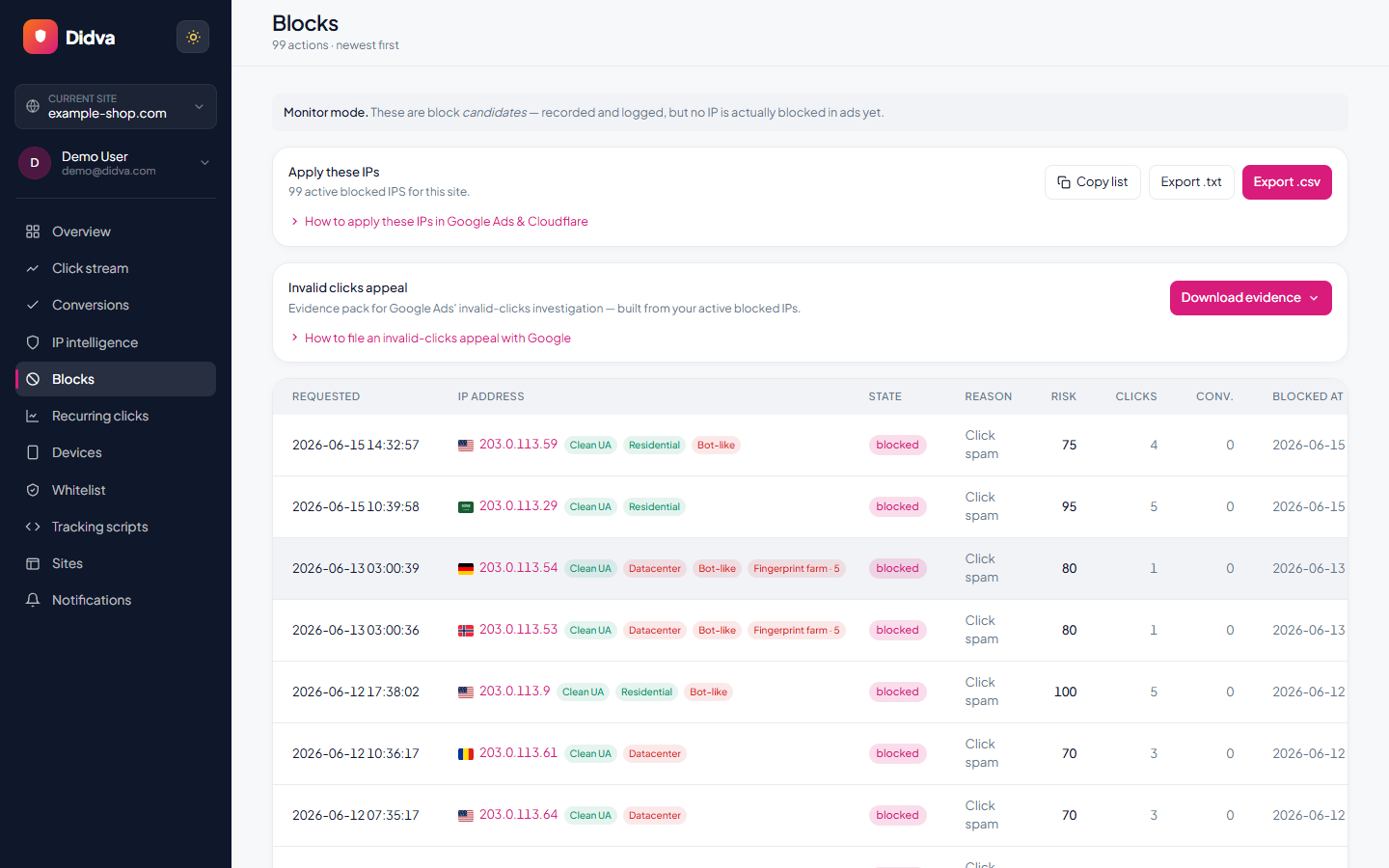
From there you have two options. On a paid plan you can download the flagged addresses as a plain list, one per line, ready to paste into Microsoft's IP exclusion box. If your site sits behind Cloudflare, Didva can push blocks there, so flagged visitors are turned away before the page loads on their next visit, whichever ad sent them. That second route saves server load and keeps junk out of your analytics, but it doesn't stop Microsoft billing the click.
Prices and plans are on our PPC fraud protection page, and the best click fraud software roundup shows which other tools block inside Microsoft Ads. What Didva doesn't have is a Microsoft Ads connection. It won't read your Microsoft account, write exclusions into it, or file credit requests. For automatic exclusions inside the ad platform, Didva works with Google Ads click fraud protection. If you run both, the invalid click protection guide for Google Ads covers the Google side, and how to spot fake clicks on Google Ads lists warning signs you can check on Bing as well.
One snippet. No code changes.
Paste the Didva tag on your paid landing pages and it starts scoring clicks straight away.
<script async src="https://app.didva.com/js/ct-click.js" data-site-key="YOUR_SITE_KEY"></script>
Replace YOUR_SITE_KEY
with the key from your dashboard. Add the conversion tag to thank-you pages to keep lead quality clean.
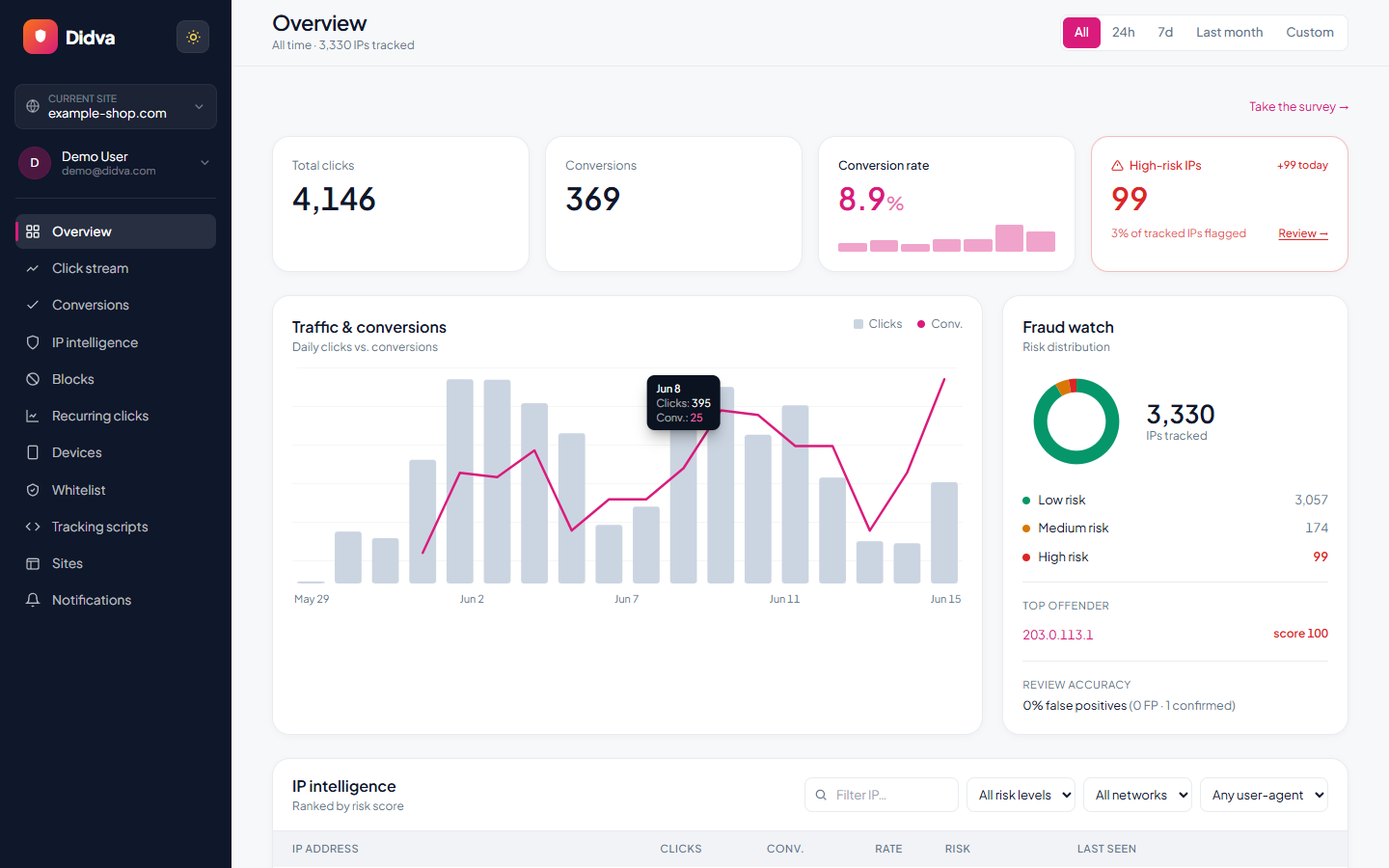
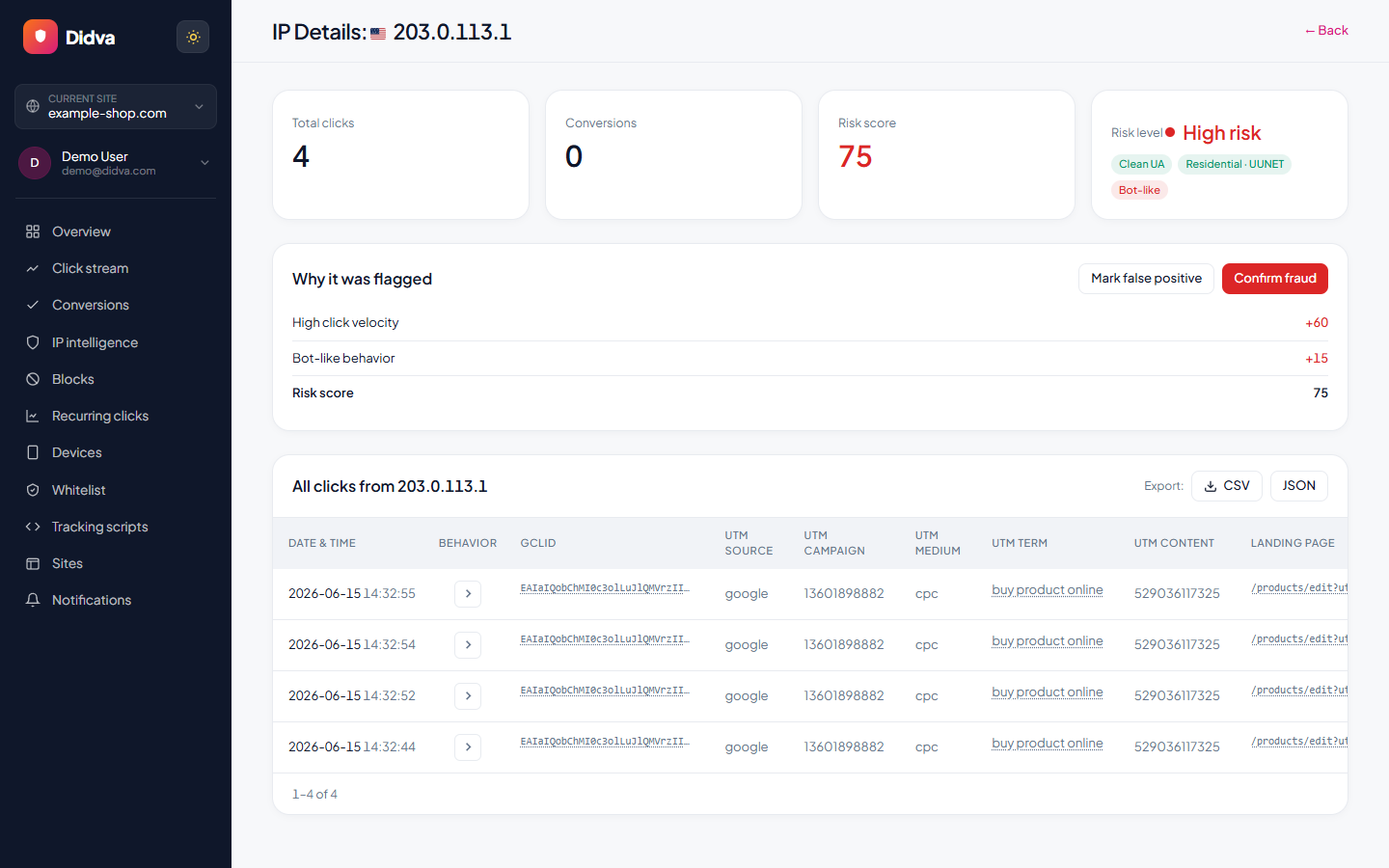
See Didva in action
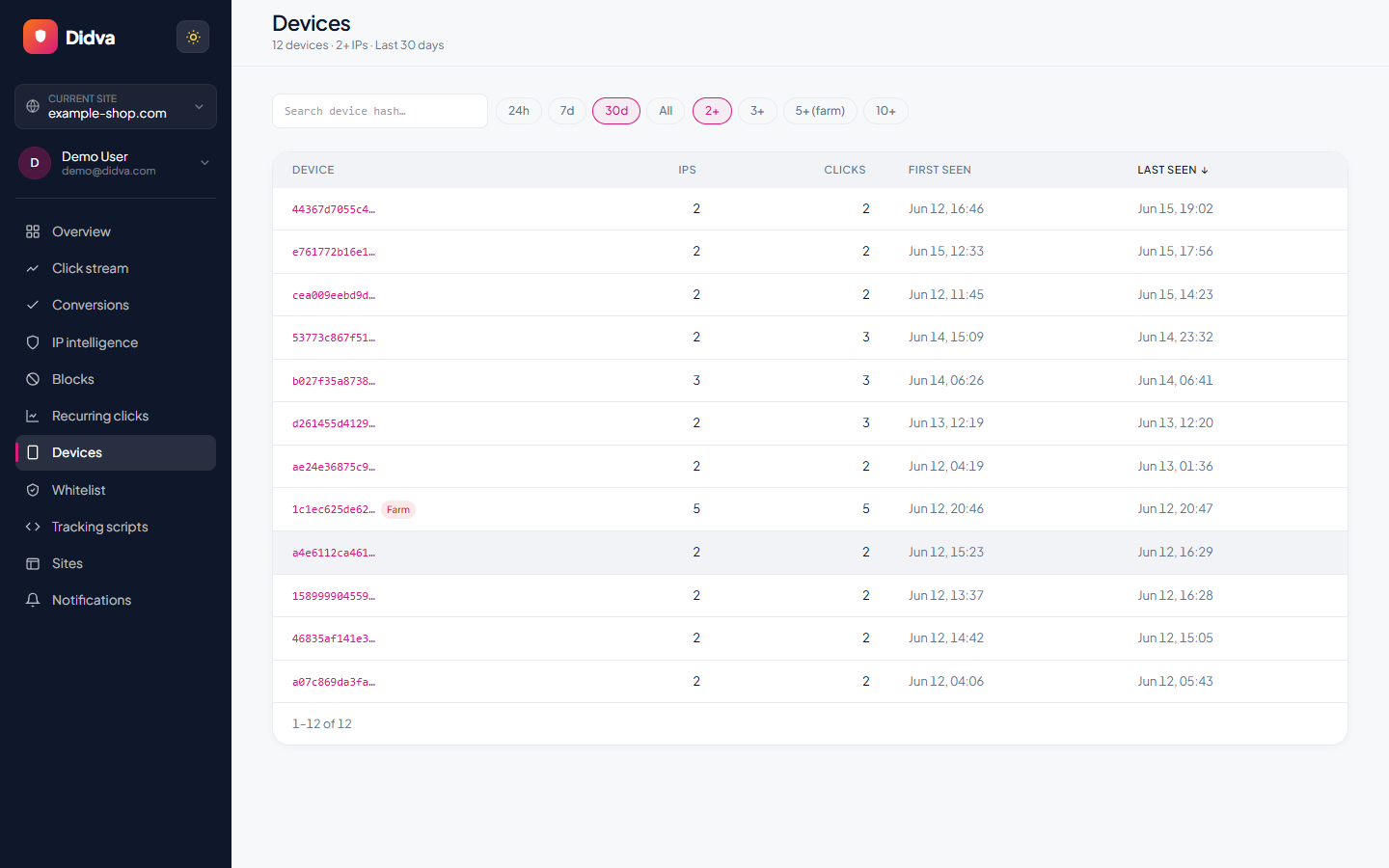
Real-time monitoring, risk scoring and one-click evidence, all in one dashboard.
What advertisers say
Real feedback from teams protecting their paid traffic with Didva.
Caught a click-farm pattern our previous tool missed and cut wasted spend within the first month.
Setup was a single snippet. The evidence export made our Google Ads refund request painless.
Clear per-IP reasons and a review queue so we are not blocking real customers. Exactly what we needed.
Datacenter and repeat-click detection paid for itself fast. Reporting is clear enough to share with clients.
We manage campaigns across several clients and the dashboard quickly highlighted traffic patterns we would have otherwise missed.
Simple setup, useful alerts, and enough detail to investigate suspicious visitors without involving developers.
The product delivered value quickly. I would like a few more filtering options, but the core detection features work well.
The manual review queue helped us avoid blocking legitimate visitors while still dealing with suspicious traffic.
The IP-level evidence makes client conversations much easier. Instead of assumptions, we can show actual data.
One of the cleaner interfaces we have used in the ad fraud space. Reports are easy to understand.
Within the first week we found a source of repeated clicks that had been consuming budget for months.
Useful notifications, clear reasoning, and very little noise. Most flagged visits deserved attention.
We mainly wanted better visibility into traffic quality. The platform delivered exactly that.
I like that every flag includes supporting details. It builds confidence in the decisions being made.
We tested several tools and this was the easiest one to explain to both clients and team members.
Good balance between automation and transparency. Nothing feels hidden behind a black box.
The repeat-click reports helped us identify unusual traffic spikes during a competitor campaign launch.
Client reporting became much easier once we started including the exported traffic quality reports.
Strong product overall. A few advanced reporting features would be nice, but detection accuracy has been solid.
The value was obvious after the first couple of weeks. We now review suspicious traffic as part of our regular workflow.
Ready to see which clicks are real? Start protecting your paid traffic in minutes.
Start Protecting Your AdsFrequently asked questions
Does Microsoft Ads refund invalid clicks?
Microsoft bills only for clicks it rates standard quality. If it later finds that billed clicks were low quality or invalid, it adjusts your bill and credits the amount plus tax. Credits are rolled up per campaign on your monthly statement, and Microsoft says one can take up to a month to appear.
How do I report click fraud to Microsoft Advertising?
Contact Microsoft Advertising support and ask for an investigation into the clicks you suspect. Include the campaign, the dates and the IP addresses or sites involved. Microsoft's help pages don't state a deadline, so file soon after you notice.
How many IP addresses can I exclude in Microsoft Ads?
Up to 100 IP addresses or ranges per campaign, IPv4 only, with a wildcard allowed in the last block (for example 203.0.113.*). Exclusions are set at campaign level, not ad group level. Google Ads allows 500 per campaign.
Where do I see invalid clicks in Microsoft Ads?
Add the Low-quality clicks and Low-quality click rate (%) columns from the column picker. Microsoft's help pages use "low-quality" for this report column rather than "invalid".
Can I turn off search partners in Microsoft Ads?
You can choose "Microsoft sites and select traffic" instead of the whole network in the ad group's ad distribution setting, and exclude individual sites (up to 2,500 URLs) found in the Website URL (publisher) report. Microsoft doesn't let search campaigns block Bing, Yahoo or AOL search traffic.
Does Didva block clicks in Microsoft Ads automatically?
No. Didva scores Microsoft clicks and, on paid plans, gives you a paste-ready exclusion list. If you connect Cloudflare, Didva can also turn flagged visitors away at your website, but Microsoft still charges for their clicks.
Is Microsoft Ads click fraud worse than Google's?
Neither company publishes comparable rates. What differs is control. Google allows five times as many IP exclusions per campaign and an account-level list, and Google Ads is where Didva can add exclusions automatically.
Sources
- Microsoft Advertising: about preventing invalid clicks (click categories, low-quality columns)
- Microsoft Advertising: credits and refunds for invalid clicks
- Microsoft Advertising: add exclusions (100 IPs per campaign, 2,500 URLs)
- Microsoft Advertising: ad distribution and partner traffic
- Google Ads Help: IP exclusions (500 per campaign)
See how much of your traffic is real
Tell us your site and we'll show you where invalid clicks are draining your budget.
Related solutions
See which Microsoft Ads clicks look automated.
Add the Didva snippet, let it score a few nights of traffic, and paste the list into Microsoft Ads when you're ready.