Competitor Click Fraud Detection
Catch competitors and repeat clickers draining your paid search budget, with IP-level patterns and evidence you can act on.
✓ No credit card required · Setup in minutes · Cancel anytime
When a competitor clicks your ads to burn your budget or push you out of the auction, it rarely happens once. Didva detects competitor click fraud by spotting repeat clicks, suspicious visitor patterns and sources that behave nothing like real prospects, then helps you block them.
Competitor click fraud is hard to prove from the Google Ads dashboard. The clicks look ordinary, but the same IPs, networks or local areas keep clicking your highest-cost keywords without ever converting. Over time that drains budget, distorts your data and can knock your ads out of rotation at the worst moments.
Track → Score → Block → Report → Optimize
A closed loop that turns raw paid clicks into clean, defensible traffic data.
- 1
Record
Log every paid click with its IP, network, location, device and timing.
- 2
Cluster
Surface repeat clickers, clusters of activity and visits with no buyer behavior.
- 3
Exclude
Add repeat-offender IPs to exclusion lists so they stop clicking your ads.
- 4
Document
Show the pattern (IPs, timestamps and campaigns) as evidence.
- 5
Protect keywords
Protect high-cost keywords from repeat suspicious activity over time.
Everything you need to protect paid traffic
Detection, blocking, alerting and clean reporting in one place.
Pattern scoring
Clusters of clicks from the same network, geo or device get flagged as suspicious.
Repeat-click detection
Identify IPs and sources that click your ads again and again without converting.
Keyword protection
Keep your most expensive keywords from being drained by recurring suspicious clicks.
Evidence trail
Export IPs, timestamps and campaign context to document competitor-like activity.
IP exclusions
Push repeat offenders into exclusion lists you can apply to your campaigns.
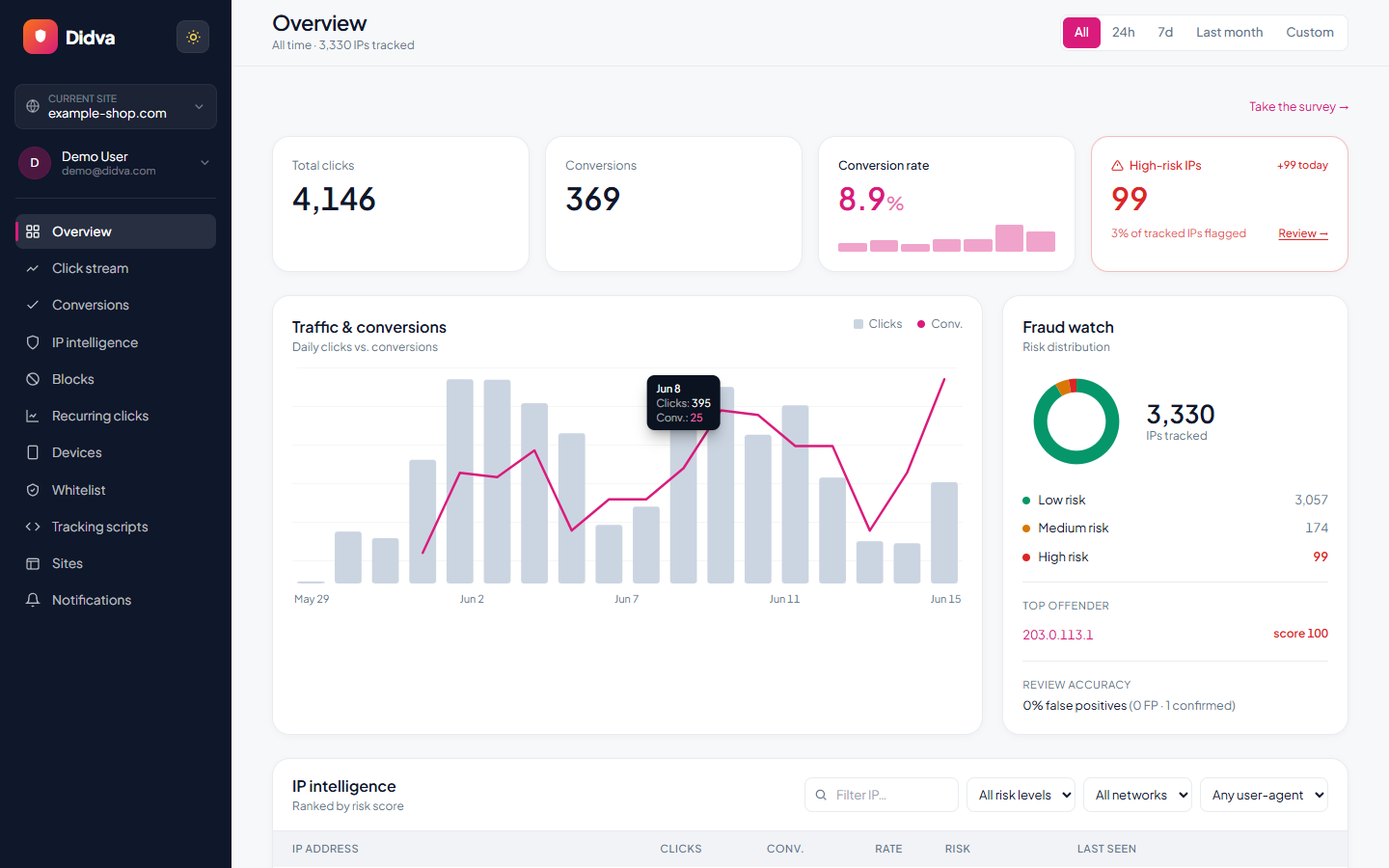
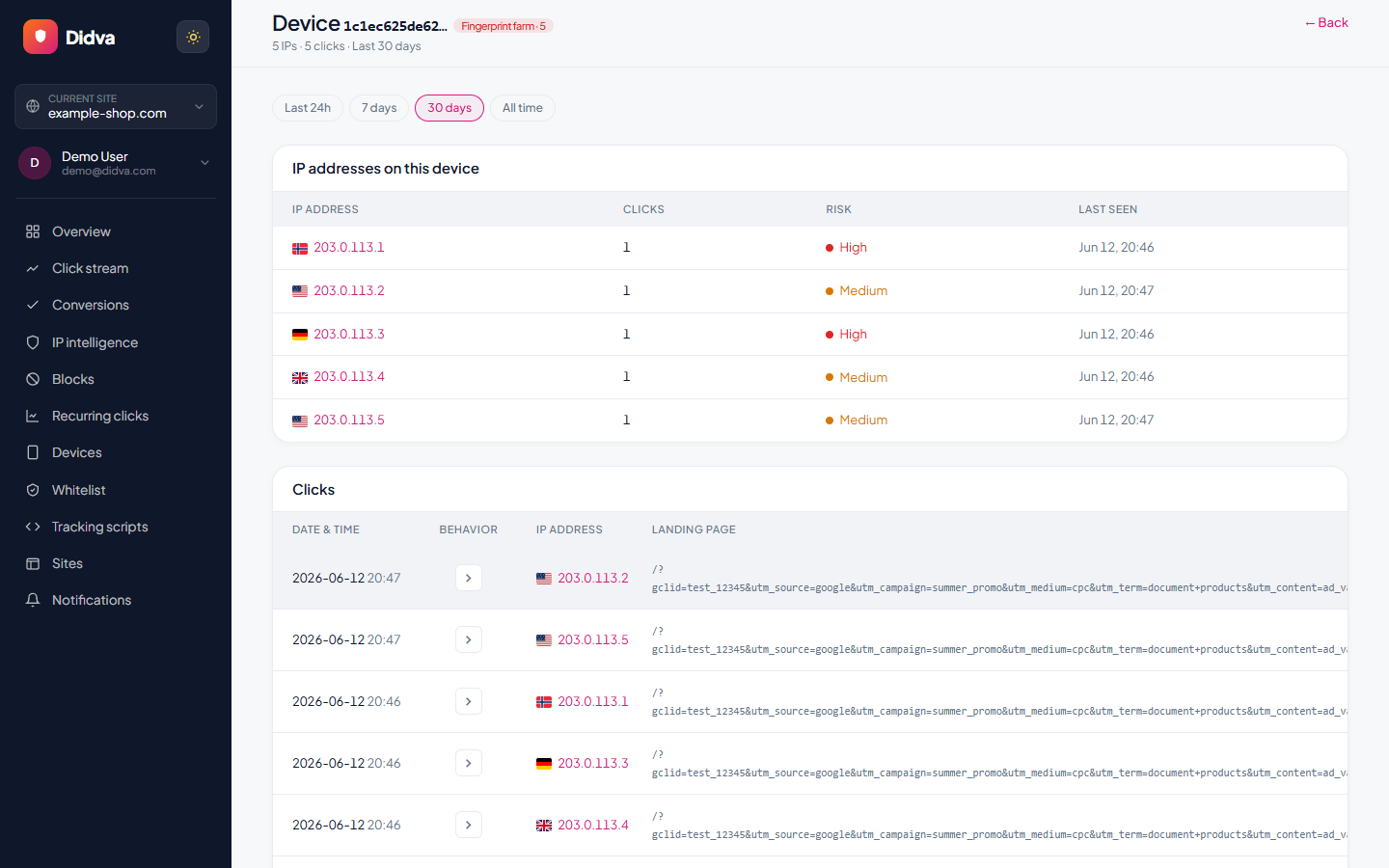
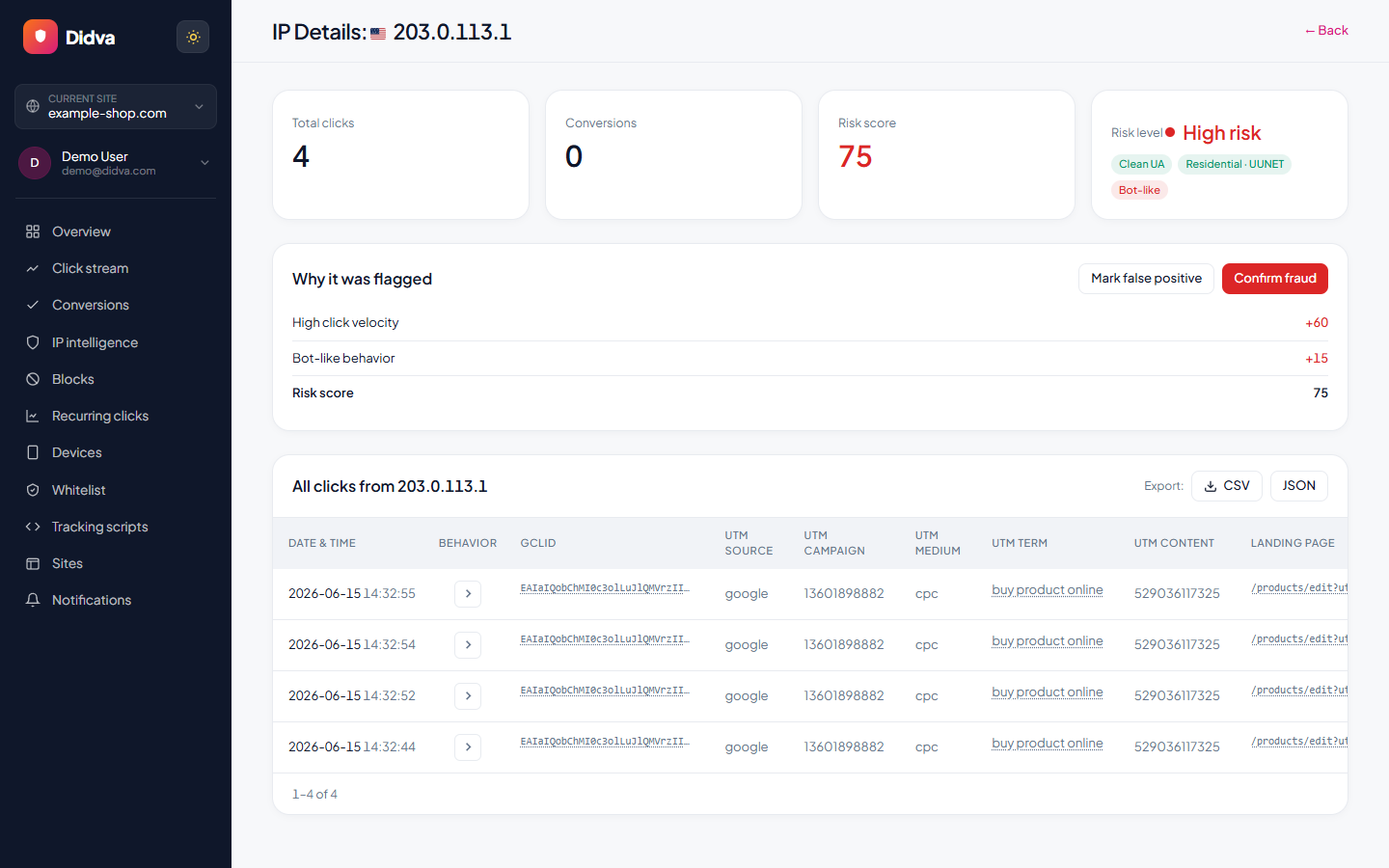
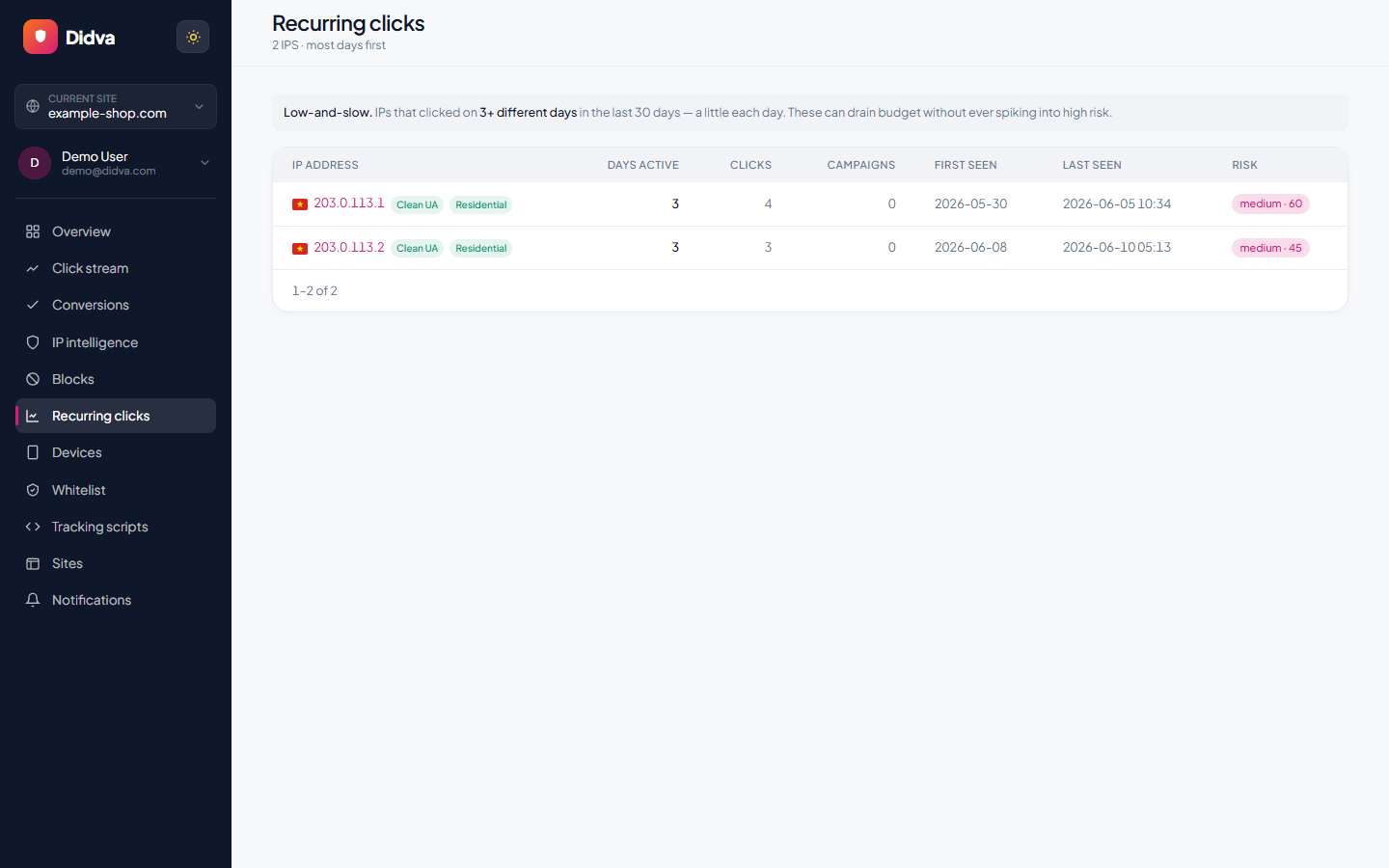
See Didva in action
Real-time monitoring, risk scoring and one-click evidence, all in one dashboard.
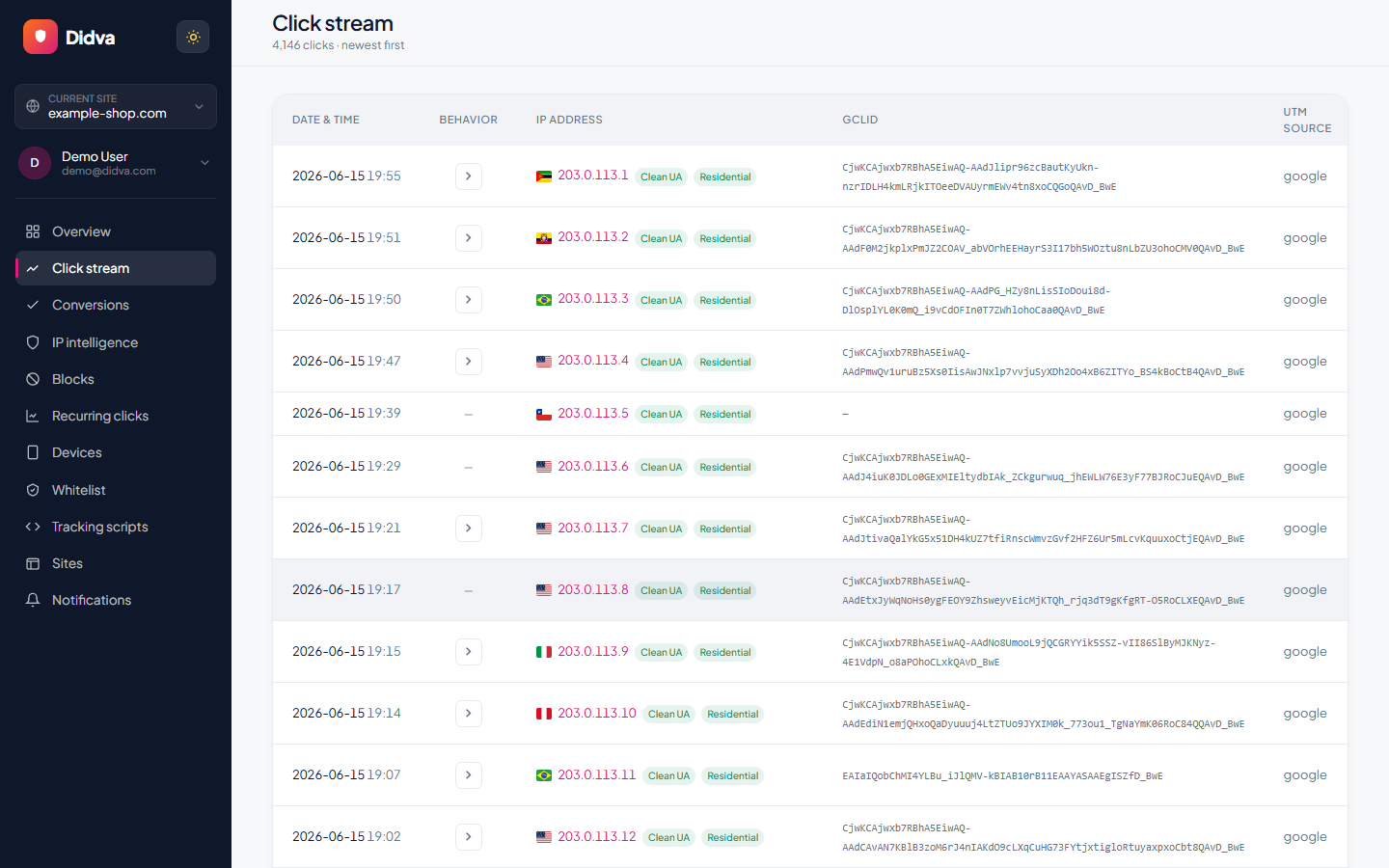
What Didva tracks on every paid visit
Each click is scored against dozens of signals, then tied back to the campaign, keyword and conversion it belongs to.
- IP address, ISP/ASN and network
- Geolocation and proximity to your service area
- Device type, browser and user agent
- Repeat clicks, frequency and timing patterns
- Campaign, keyword and cost per click
- Engagement and conversion behavior (or lack of it)
- Risk reason, confidence level and recommended action
What advertisers say
Real feedback from teams protecting their paid traffic with Didva.
Caught a click-farm pattern our previous tool missed and cut wasted spend within the first month.
Setup was a single snippet. The evidence export made our Google Ads refund request painless.
Clear per-IP reasons and a review queue so we are not blocking real customers. Exactly what we needed.
Datacenter and repeat-click detection paid for itself fast. Reporting is clear enough to share with clients.
We manage campaigns across several clients and the dashboard quickly highlighted traffic patterns we would have otherwise missed.
Simple setup, useful alerts, and enough detail to investigate suspicious visitors without involving developers.
The product delivered value quickly. I would like a few more filtering options, but the core detection features work well.
The manual review queue helped us avoid blocking legitimate visitors while still dealing with suspicious traffic.
The IP-level evidence makes client conversations much easier. Instead of assumptions, we can show actual data.
One of the cleaner interfaces we have used in the ad fraud space. Reports are easy to understand.
Within the first week we found a source of repeated clicks that had been consuming budget for months.
Useful notifications, clear reasoning, and very little noise. Most flagged visits deserved attention.
We mainly wanted better visibility into traffic quality. The platform delivered exactly that.
I like that every flag includes supporting details. It builds confidence in the decisions being made.
We tested several tools and this was the easiest one to explain to both clients and team members.
Good balance between automation and transparency. Nothing feels hidden behind a black box.
The repeat-click reports helped us identify unusual traffic spikes during a competitor campaign launch.
Client reporting became much easier once we started including the exported traffic quality reports.
Strong product overall. A few advanced reporting features would be nice, but detection accuracy has been solid.
The value was obvious after the first couple of weeks. We now review suspicious traffic as part of our regular workflow.
Ready to see which clicks are real? Start protecting your paid traffic in minutes.
Start Protecting Your AdsFrequently asked questions
How do I know if a competitor is clicking my ads?
Telltale signs are repeat clicks from the same IPs or networks, activity clustered near your business area, and clicks on high-cost keywords that never convert. Didva surfaces these patterns automatically.
Can Didva prove competitor click fraud?
Didva builds an evidence trail (IPs, timestamps, campaigns and behavior) that documents the pattern for your own review and for invalid-click investigation requests.
How does Didva stop competitor clicks?
Repeat-offender IPs and sources can be added to exclusion lists you apply to your campaigns, so they stop spending your budget.
Is it always a competitor?
Not necessarily. Repeat suspicious clicks can also come from bots or click farms. Didva focuses on the behavior and signals rather than assuming intent, so you act on real patterns.
Which campaigns benefit most?
High-CPC keywords and competitive local campaigns are the most common targets, and the ones where blocking repeat offenders saves the most budget.
See how much of your traffic is real
Tell us your site and we'll show you where invalid clicks are draining your budget.
Related solutions
Stop competitors from spending your ad budget.
Didva spots repeat clickers, documents the pattern and helps you block them for good.