Fake Clicks on Google Ads: How to Spot and Stop Them
The signs that your ad clicks aren't real people, where Google shows the ones it caught, and what to do about the ones it didn't.
✓ Free plan with no card · Paid plans from $39/month
Last updated · Reviewed by the Didva team
Fake clicks on Google Ads are clicks from bots, scripts, competitors or paid clickers that were never going to buy. Google calls them invalid clicks, filters many of them automatically and doesn't charge for the ones it catches. The ones it misses show up as budgets that run out early, spikes with no conversions, and the same visitors returning day after day.
Check three things first: the Invalid clicks column in your campaigns, clicks by hour and location for spikes that don't match your customers, and conversion rate by device and network. If those look wrong, exclude the repeat IP addresses (up to 500 per campaign, plus an account-level list) and ask Google to investigate anything from the last 60 days.
What Google counts as a fake click
Google's word for it is "invalid". Its help pages describe invalid clicks as clicks "that don't represent a genuine interest in your business" and give three kinds: accidental clicks, automated clicks from bots and scripts, and manual clicks meant to raise your costs. The third group covers competitors clicking your ads and publishers who pay people to click.
Google runs automated filters, machine learning and a manual review team against all of this. Clicks the filters catch are removed from your billed clicks and cost; you see them only as a count in the Invalid clicks column. So the fake clicks you actually pay for are, by definition, the ones Google's systems didn't recognize.
Warning signs of fake clicks
| What you see | What it can mean | Where to check |
|---|---|---|
| Budget gone by mid-morning, conversions flat | A burst of clicks early in the day | Campaigns, segmented by hour |
| Visits of a second or two with no scrolling | Automated browsers | Google Analytics, engagement by source |
| The same IP address on several days | A competitor or a paid clicker | A click log or a tool that records IPs |
| Clicks from countries you don't target | VPNs, proxies, location settings | Locations report, "presence" vs "interest" setting |
| High click-through rate on Display or video placements | Low-quality apps and sites | Where ads showed report |
| Many form fills with junk details | Bots filling forms | Your CRM or lead inbox |
| Invalid clicks jump as a share of all clicks | Google is filtering a burst of bad traffic on that campaign | Invalid clicks column |
None of these proves fraud on its own. A news mention can cause a spike; a trade fair can bring clicks from abroad. What matters is when several show up together and don't match how your customers behave.
What Google refunds and what it misses
If Google's filters catch a click, you're not charged. If Google finds invalid clicks later, it adds a credit to a later invoice "where appropriate and possible". Both happen without you asking.
What falls through tends to look human. A rival who clicks your top ad every morning for a month doesn't look like a bot, since each visit on its own seems normal. Nor does a room of people tapping ads on real handsets. For those, you can file a request through Google's click quality form, covering activity in the last 60 days. Our guide to reporting invalid clicks to Google Ads walks through the form, and the refund evidence template shows what to attach.
Blocking repeat offenders with IP exclusions
The one lever you control directly is IP exclusion. Google lets you exclude up to 500 addresses per campaign, and an asterisk can stand in for the last part of an address to cover a small block. Campaign-level exclusions aren't available on Performance Max, video, App, hotel or Smart Display campaigns. For those, Google now has an account-level IP exclusion list that applies across every campaign, Performance Max included. Didva writes to campaign lists only, so for Performance Max you'd paste its blocked-IP export (paid plans) into the account-level list yourself.
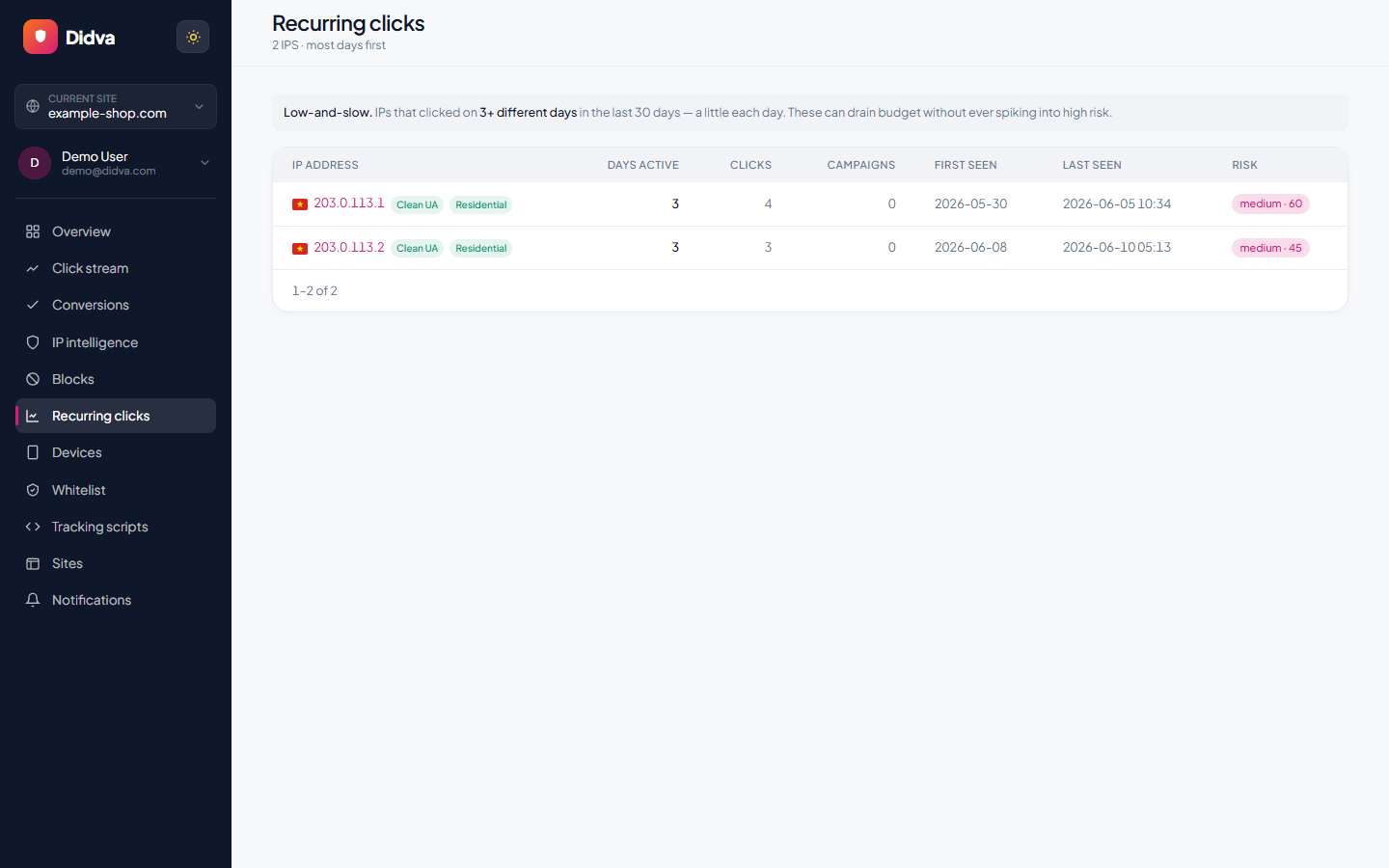
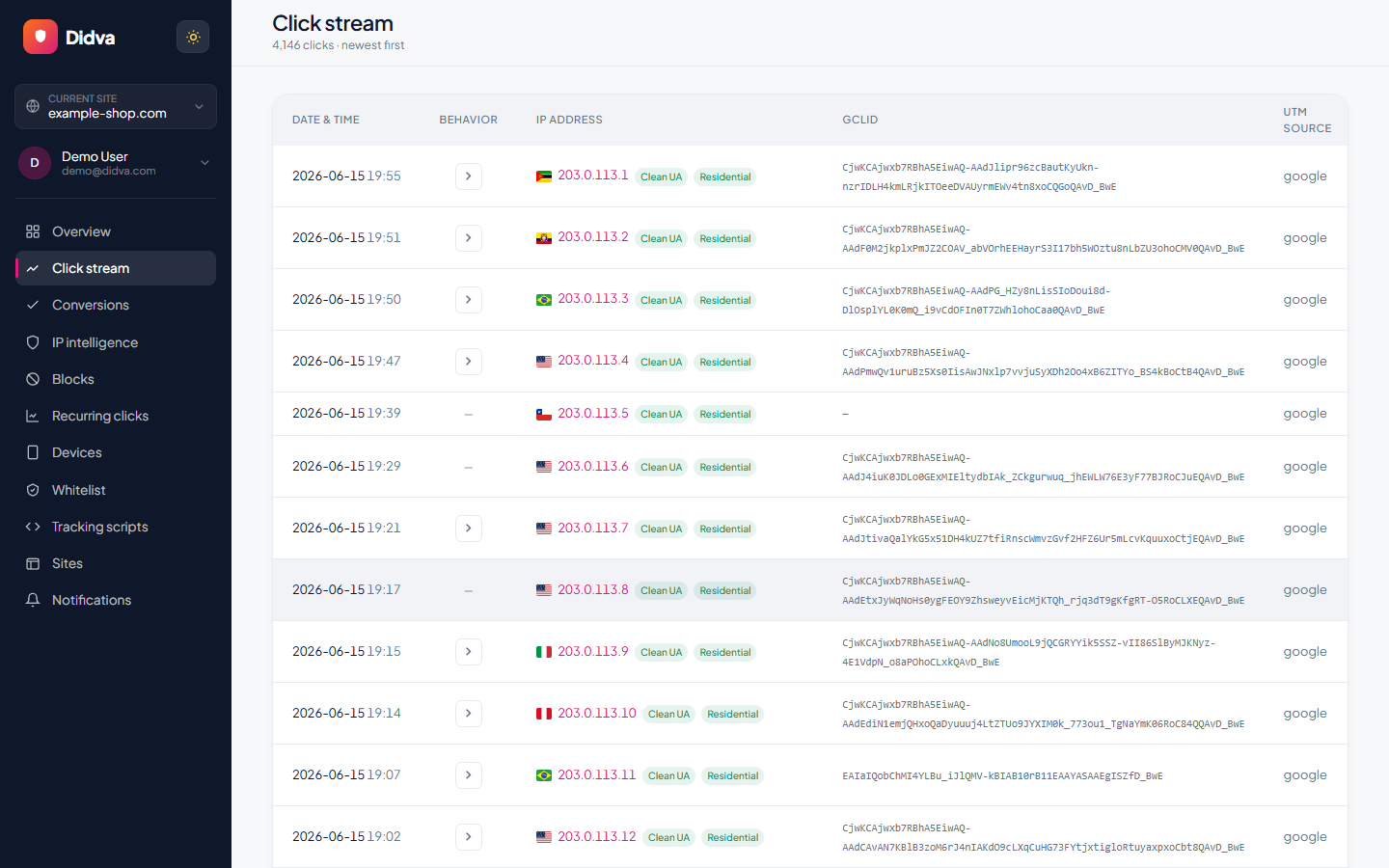
Doing this by hand means reading raw click data, which Google Ads doesn't show you: it reports invalid click totals, not the addresses behind them. You need your own record of who clicked. That's the gap click fraud tools fill; our best click fraud software roundup compares ten of them. Didva's snippet logs each paid visit, a nightly pass scores them, and on paid plans flagged addresses go into your Google Ads campaign exclusion lists automatically, within about a minute. On those plans an address that clicks on three separate days is blocked on its own. A whitelist keeps your office and your agency out of it. Plans and prices are on the PPC fraud protection page, and if you also advertise on Bing, see Microsoft Ads click fraud.
If the clicks come from real people on real devices, the pattern is different; see click farm detection. For how Google's own filtering works and where it stops, see invalid click protection for Google Ads.
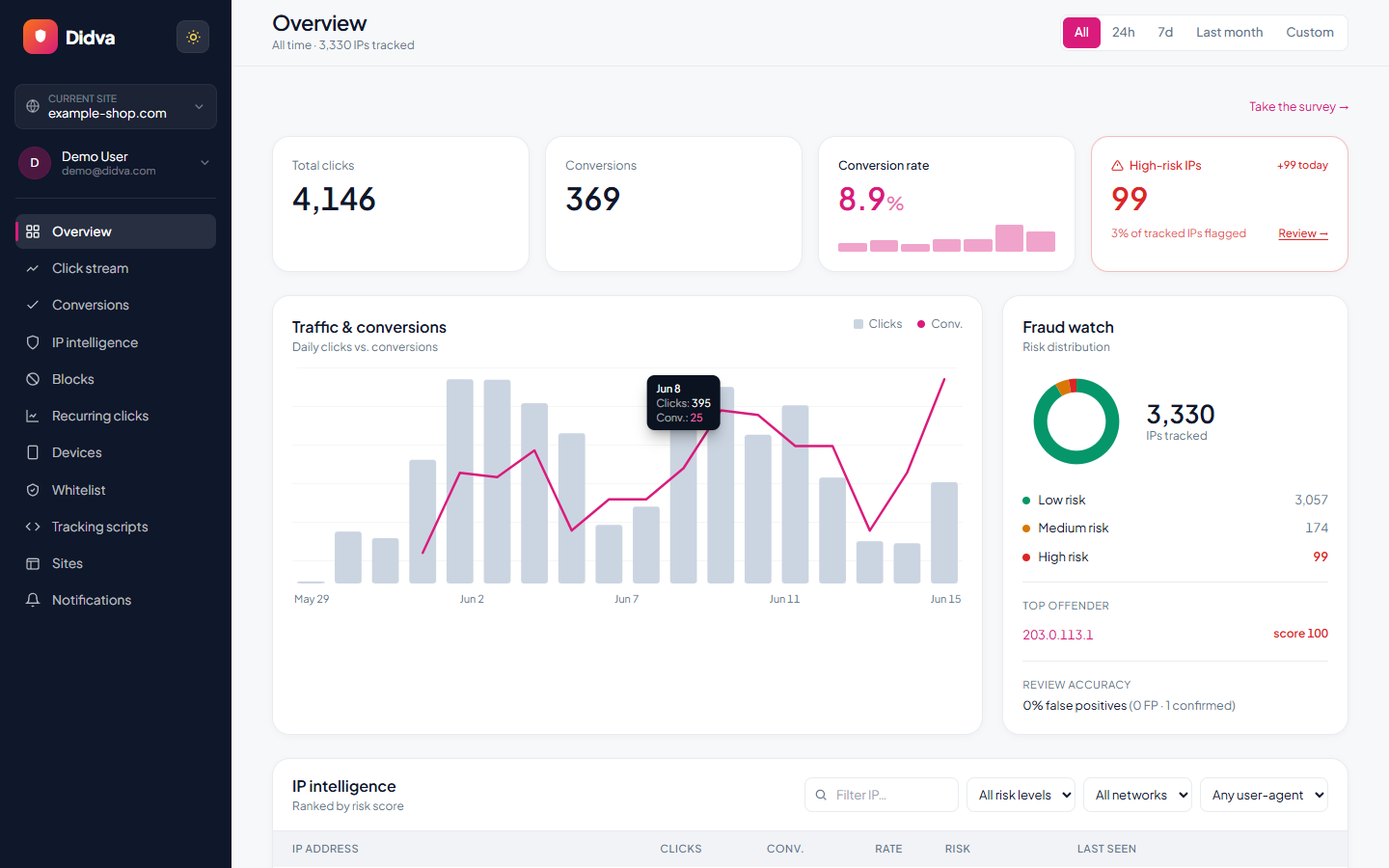
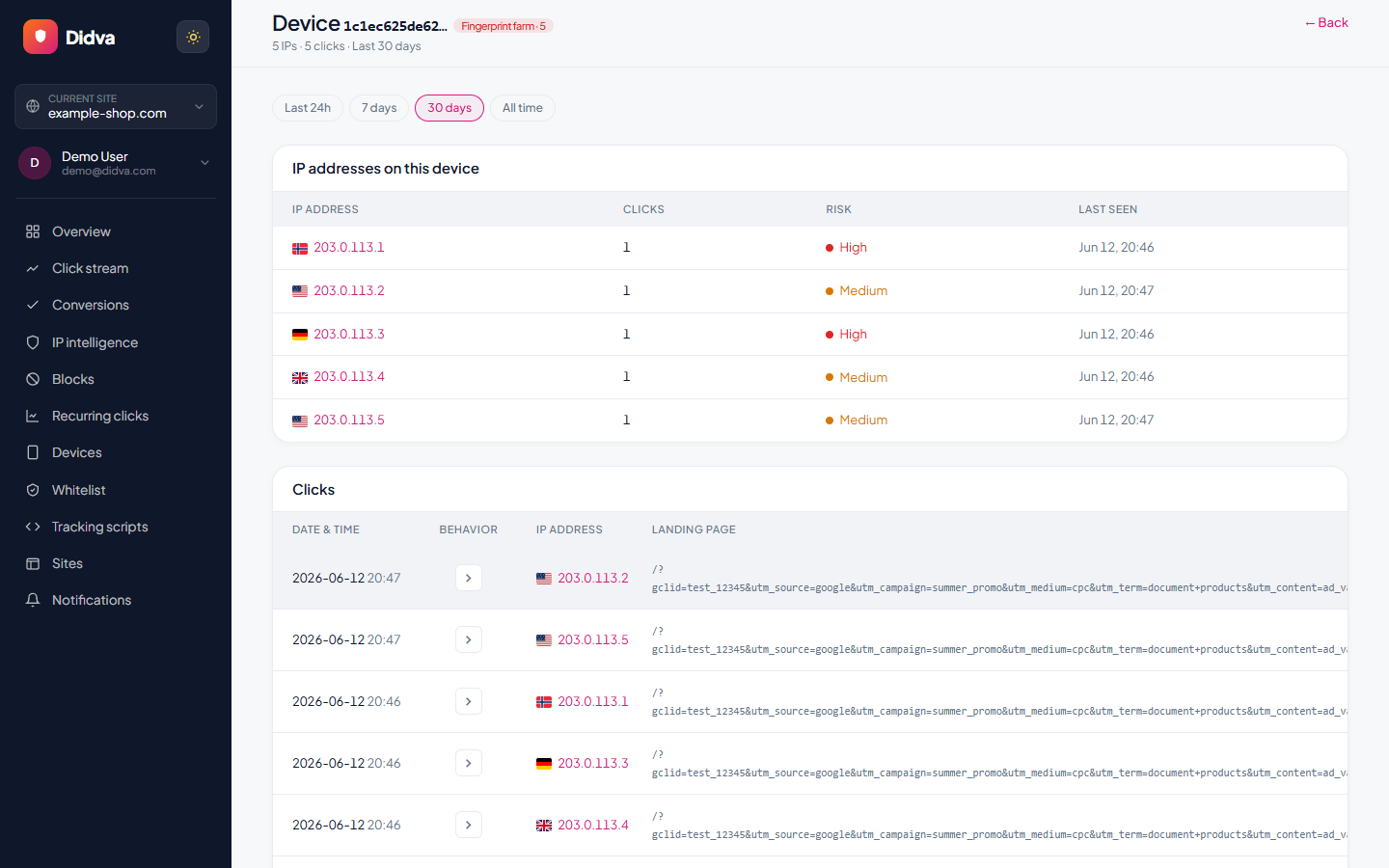
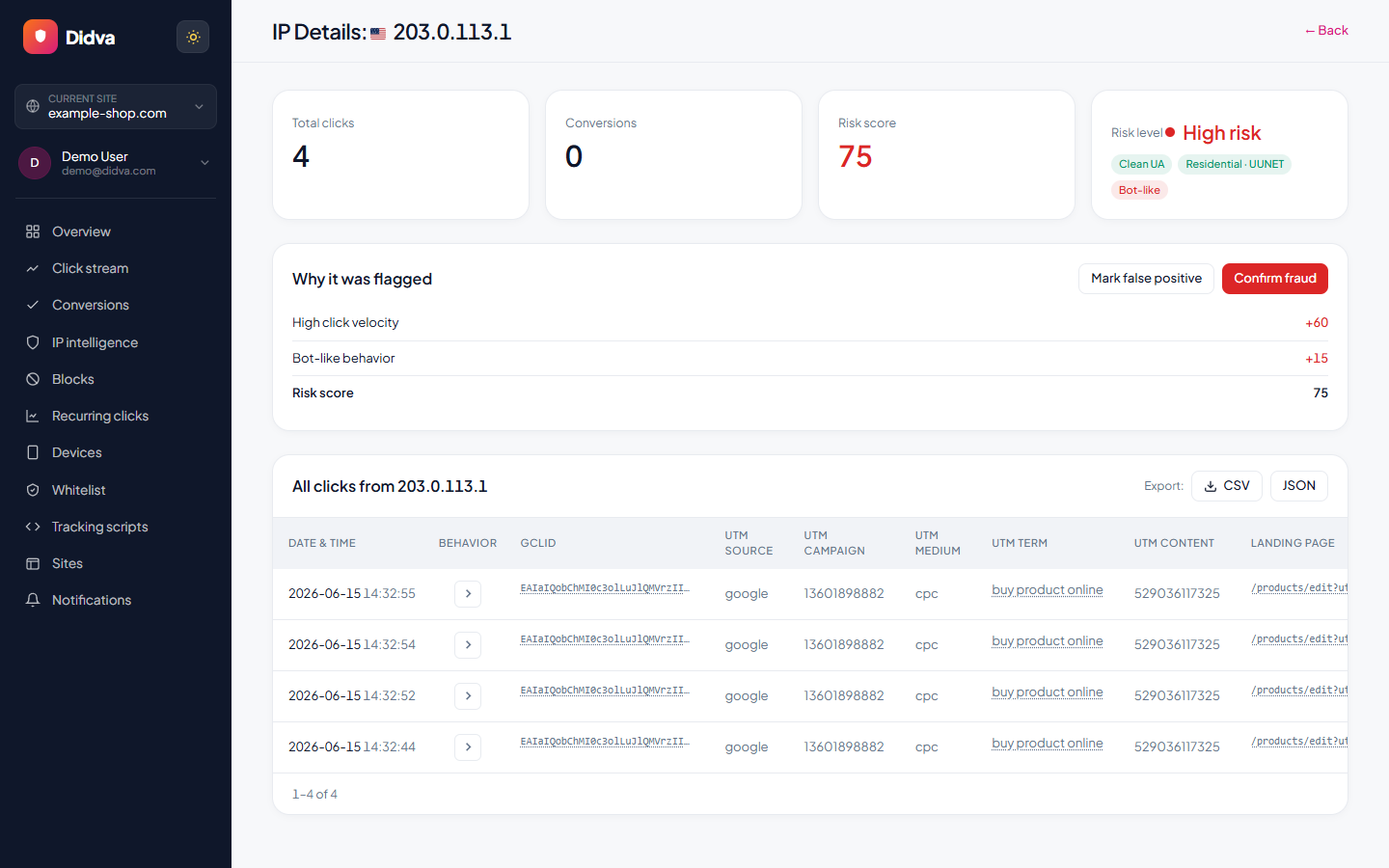
See Didva in action
Real-time monitoring, risk scoring and one-click evidence, all in one dashboard.
What advertisers say
Real feedback from teams protecting their paid traffic with Didva.
Caught a click-farm pattern our previous tool missed and cut wasted spend within the first month.
Setup was a single snippet. The evidence export made our Google Ads refund request painless.
Clear per-IP reasons and a review queue so we are not blocking real customers. Exactly what we needed.
Datacenter and repeat-click detection paid for itself fast. Reporting is clear enough to share with clients.
We manage campaigns across several clients and the dashboard quickly highlighted traffic patterns we would have otherwise missed.
Simple setup, useful alerts, and enough detail to investigate suspicious visitors without involving developers.
The product delivered value quickly. I would like a few more filtering options, but the core detection features work well.
The manual review queue helped us avoid blocking legitimate visitors while still dealing with suspicious traffic.
The IP-level evidence makes client conversations much easier. Instead of assumptions, we can show actual data.
One of the cleaner interfaces we have used in the ad fraud space. Reports are easy to understand.
Within the first week we found a source of repeated clicks that had been consuming budget for months.
Useful notifications, clear reasoning, and very little noise. Most flagged visits deserved attention.
We mainly wanted better visibility into traffic quality. The platform delivered exactly that.
I like that every flag includes supporting details. It builds confidence in the decisions being made.
We tested several tools and this was the easiest one to explain to both clients and team members.
Good balance between automation and transparency. Nothing feels hidden behind a black box.
The repeat-click reports helped us identify unusual traffic spikes during a competitor campaign launch.
Client reporting became much easier once we started including the exported traffic quality reports.
Strong product overall. A few advanced reporting features would be nice, but detection accuracy has been solid.
The value was obvious after the first couple of weeks. We now review suspicious traffic as part of our regular workflow.
Ready to see which clicks are real? Start protecting your paid traffic in minutes.
Start Protecting Your AdsFrequently asked questions
How can I tell if my Google Ads clicks are fake?
Look for clicks with no engagement (one-second visits, no scrolling), bursts at odd hours, clicks from places you don't serve, many clicks from one address or network, and a conversion rate that drops while clicks rise. One sign alone proves little; several together usually mean invalid traffic.
Does Google refund fake clicks?
Google doesn't charge for clicks its filters catch. If it finds invalid clicks after you were billed, it credits you on a later invoice where it can. For clicks it didn't catch, you can ask for an investigation of activity in the last 60 days through its click quality form.
Can competitors click on my Google ads?
Yes, and Google lists "competitors who manually click to increase your spend" as invalid activity. A competitor usually clicks a few times a day from the same office or phone, which is why repeat clicks over several days are a stronger sign than a single burst.
How do I stop fake clicks on Google Ads?
Exclude the IP addresses behind repeat clicks, narrow your locations and ad schedule to when and where customers really are, review Display and video placements, and use a tool that finds repeat offenders across days. Google allows 500 excluded IPs per campaign plus an account-level list.
Why do fake clicks hurt more than their cost?
Smart Bidding learns from your traffic. Clicks that never convert teach it that some audiences or placements are worse than they are, and fake form fills can teach it the opposite. Both push spend in the wrong direction.
Where do I see fake clicks in Google Ads?
Add the Invalid clicks column to your Campaigns table (Columns, then search for "Invalid clicks"). Credits for invalid activity appear on the Summary, Billing Activity or Transactions page and on your monthly invoice.
Does Didva catch fake clicks Google misses?
Didva scores every paid visit on your site each night and flags automated browsers, data-center, VPN and Tor traffic, and addresses that keep coming back. On paid plans it adds flagged addresses to your Google Ads campaign exclusions automatically. No tool catches every fake click, Didva included.
See how much of your traffic is real
Tell us your site and we'll show you where invalid clicks are draining your budget.
Related solutions
Find out how many of your clicks are fake.
Start on the free plan. It flags suspicious clicks on your real traffic and shows you which addresses keep coming back.